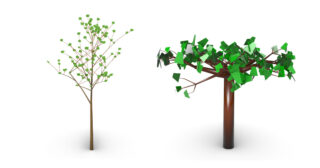
Comparison of ChatGPT and Raven AI Workflows
Introduction
The aim of this project was to create a parametric 3D tree generator in Rhino / Grasshopper. The tree was generated using fractal principles, mainly an L-system and a turtle algorithm. The final output was not a single static model, but a Grasshopper definition controlled by sliders.
The project also compares two AI-assisted workflows. The first one used ChatGPT as an external assistant for explanation, code generation and debugging. The second one used Raven, an AI assistant integrated directly into Rhino / Grasshopper.
The work was done from the perspective of a beginner with almost no previous experience in Rhino, Grasshopper or Python.
Principle
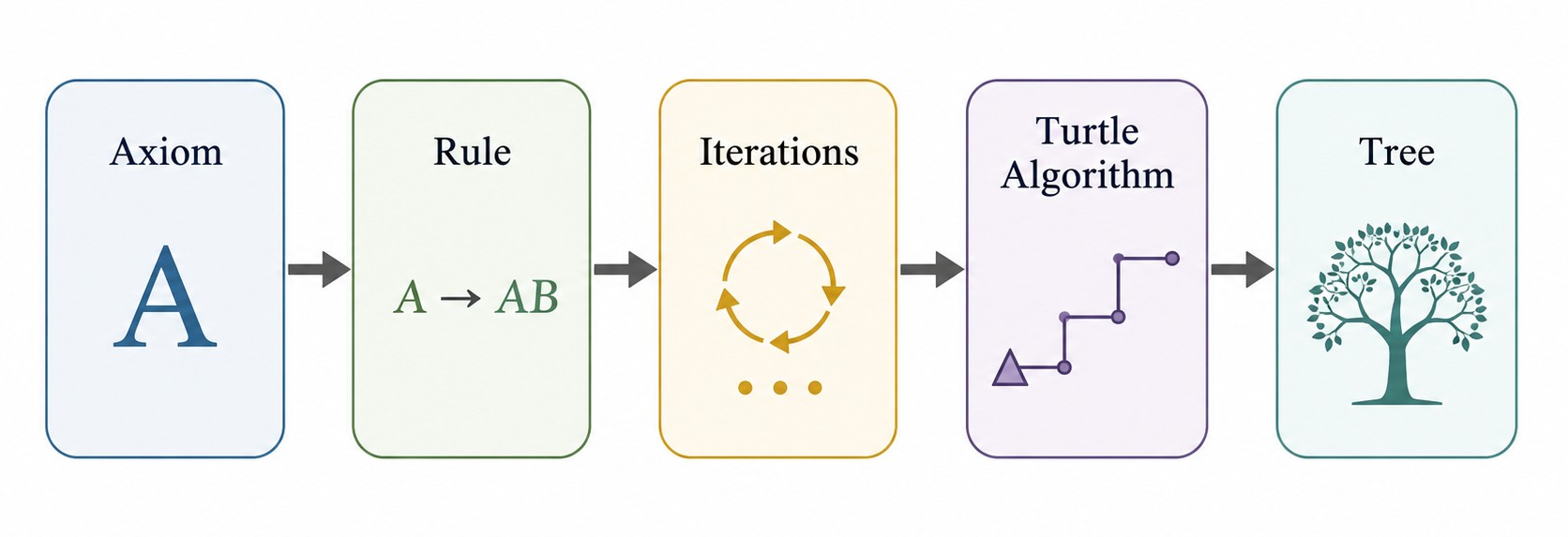
Both workflows are based on an L-system. An initial symbol, called an axiom, is repeatedly rewritten according to a rule. The resulting string is then interpreted by a turtle algorithm.
In this system, F represents forward growth of a branch, while other symbols control rotation, branching and returning to previous positions. This makes it possible to create a complex tree-like structure from a simple set of rules.
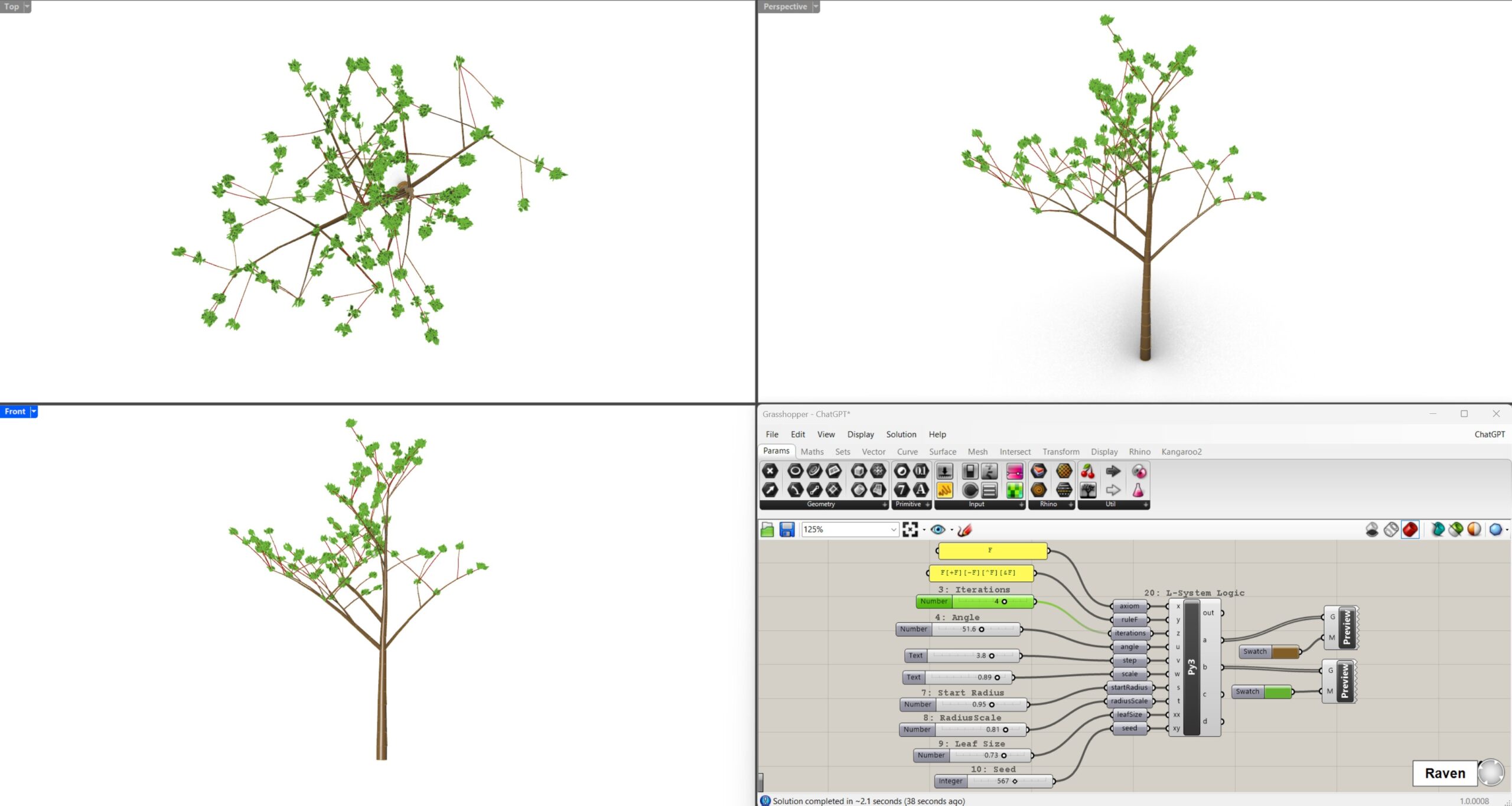
The main parameters were controlled by sliders: number of iterations, branching angle, step length, scale, trunk radius, radius reduction, leaf size and random seed.
ChatGPT Workflow
The first workflow was based on a dialogue with ChatGPT. I asked for a complete beginner-friendly guide for creating a procedural tree generator in Grasshopper. ChatGPT explained how to prepare Rhino, insert a Python component, create inputs and sliders, connect the definition and paste the generated code.
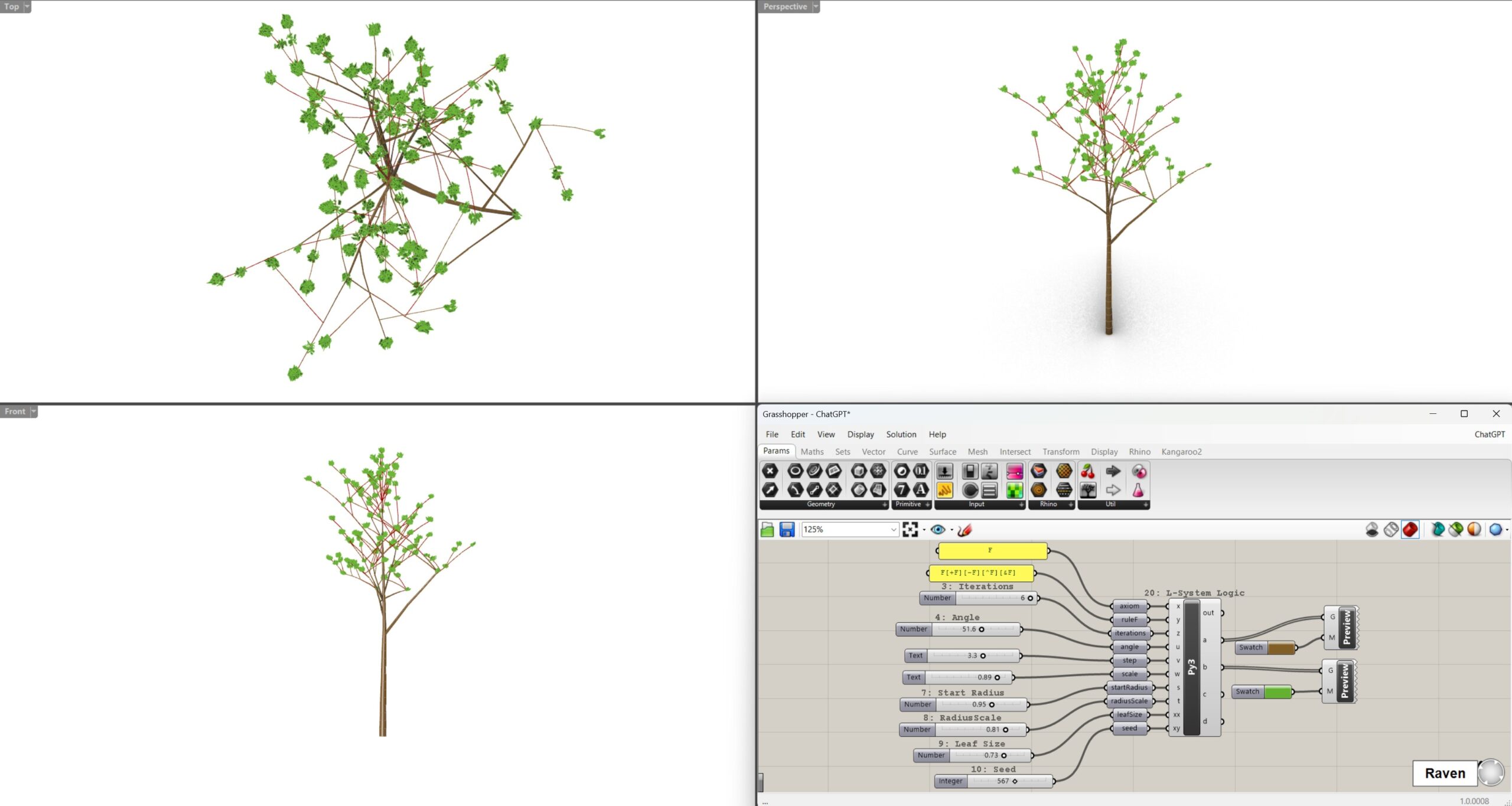
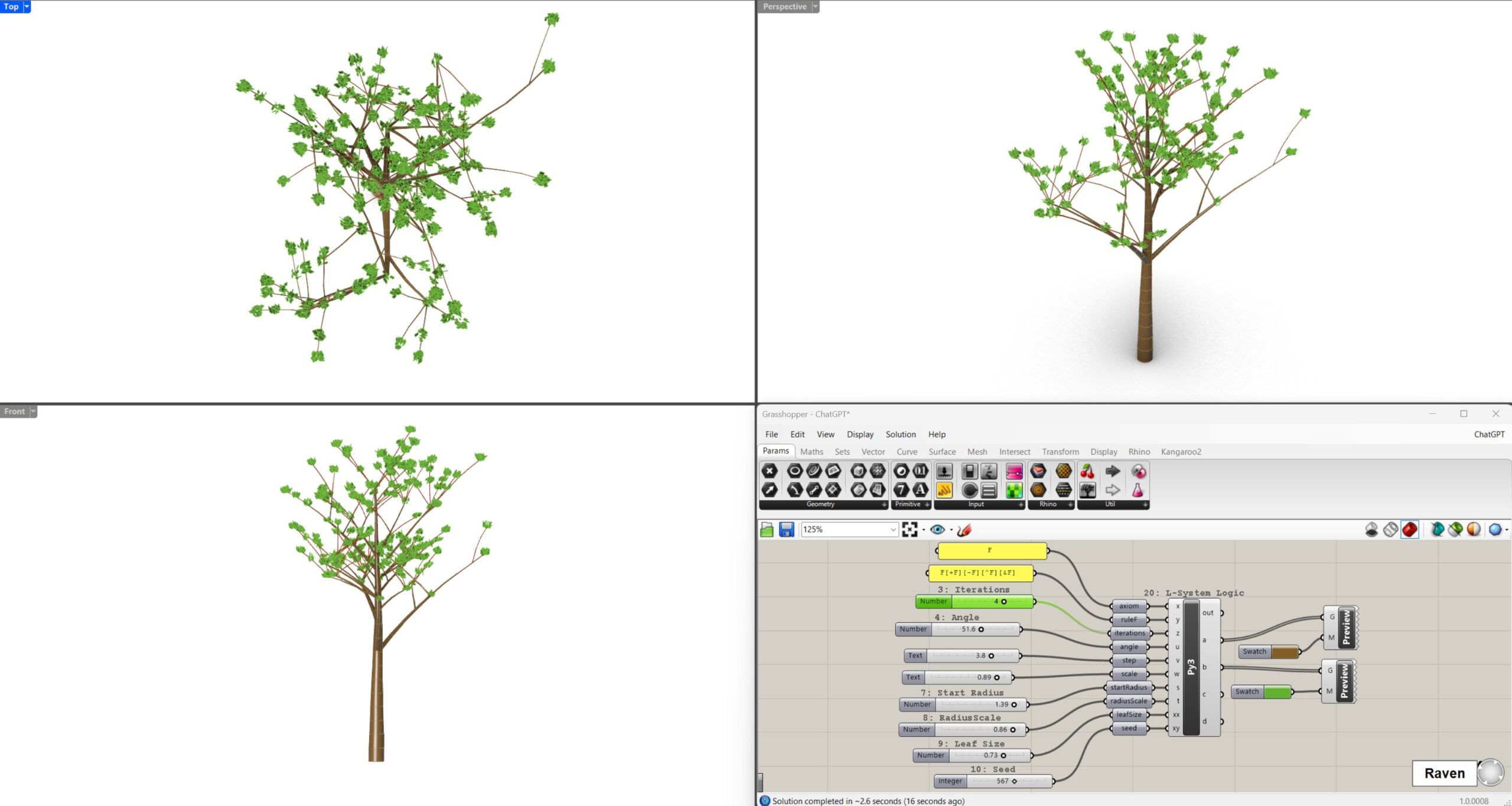
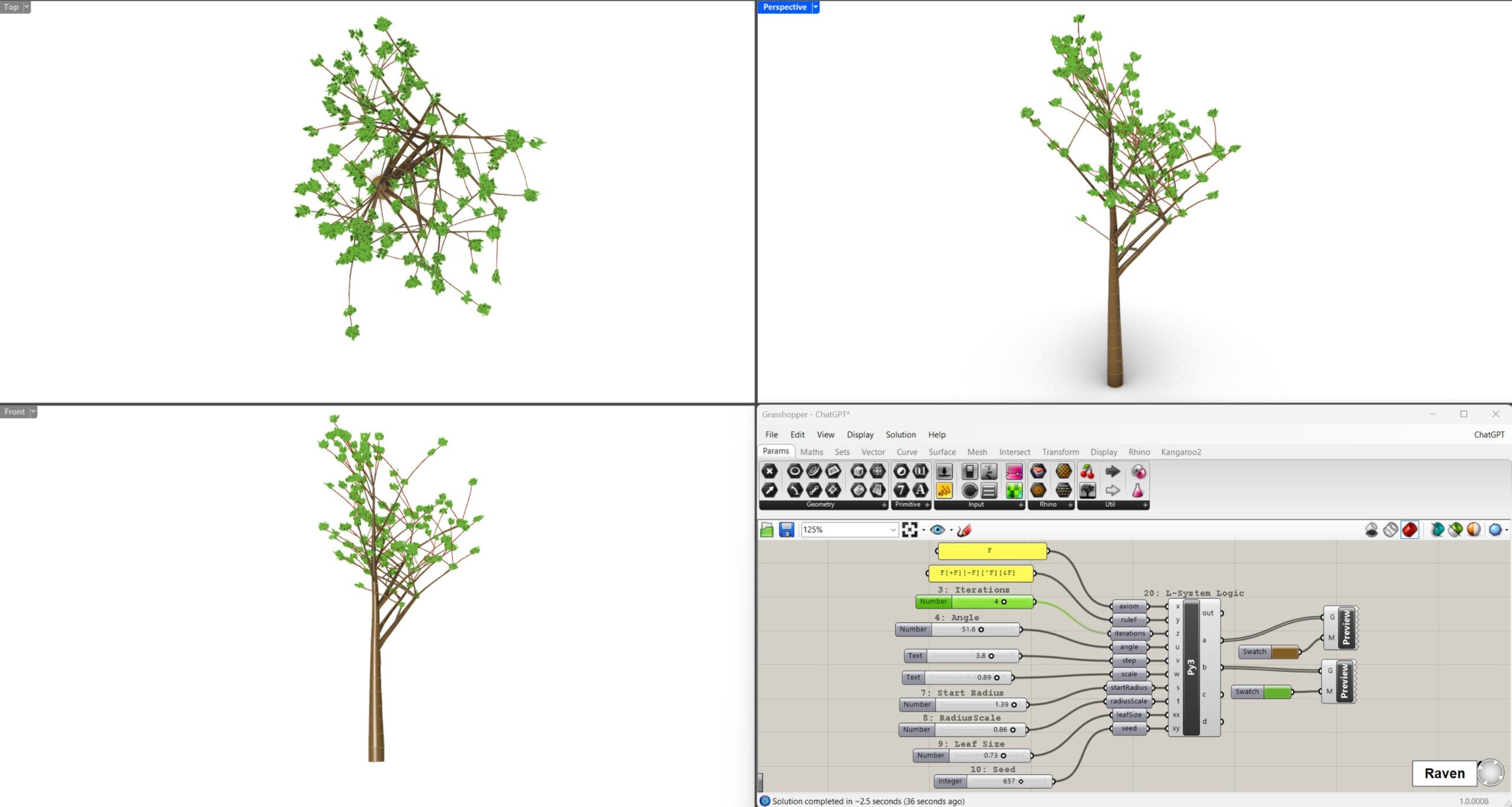
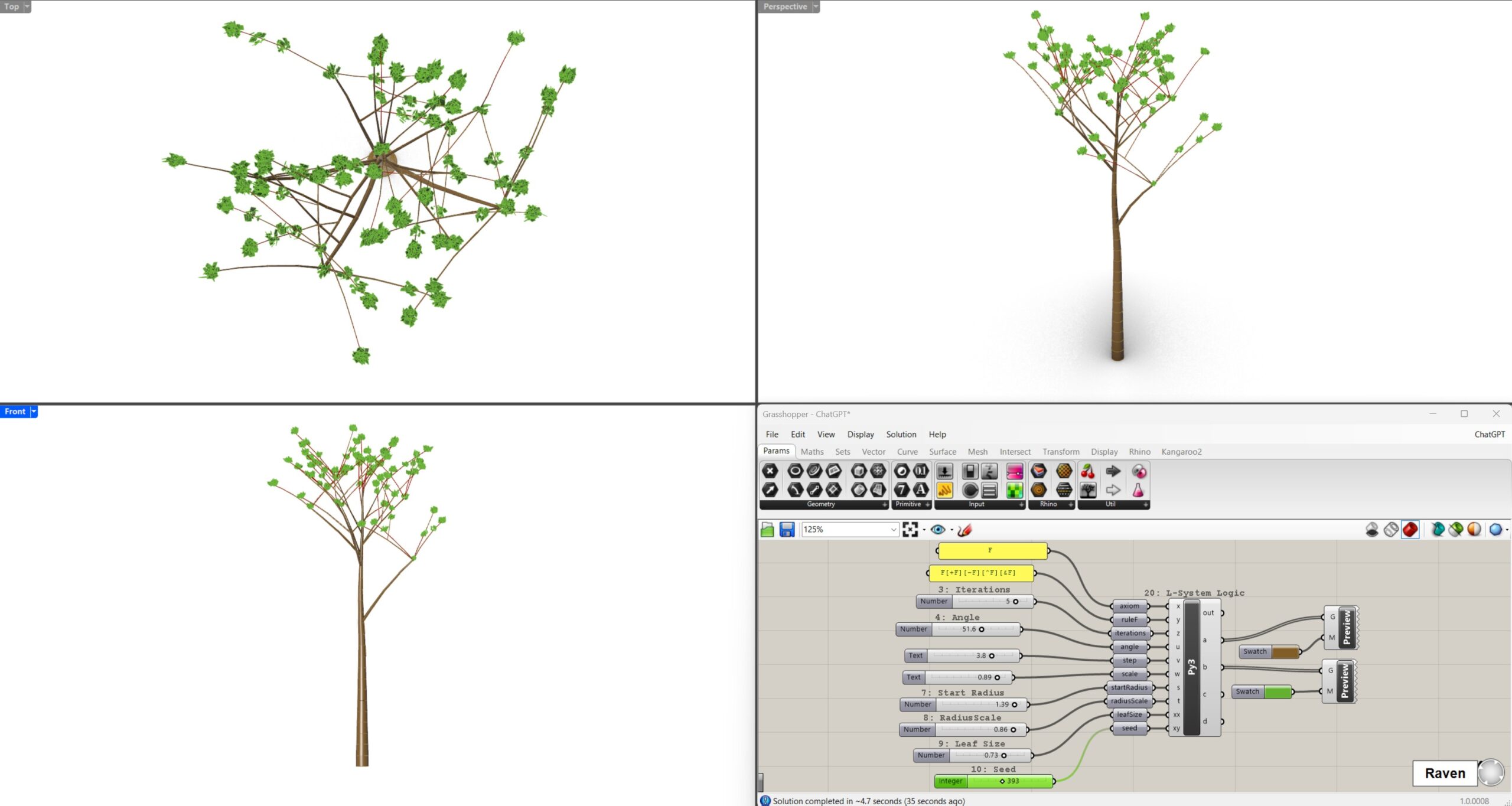
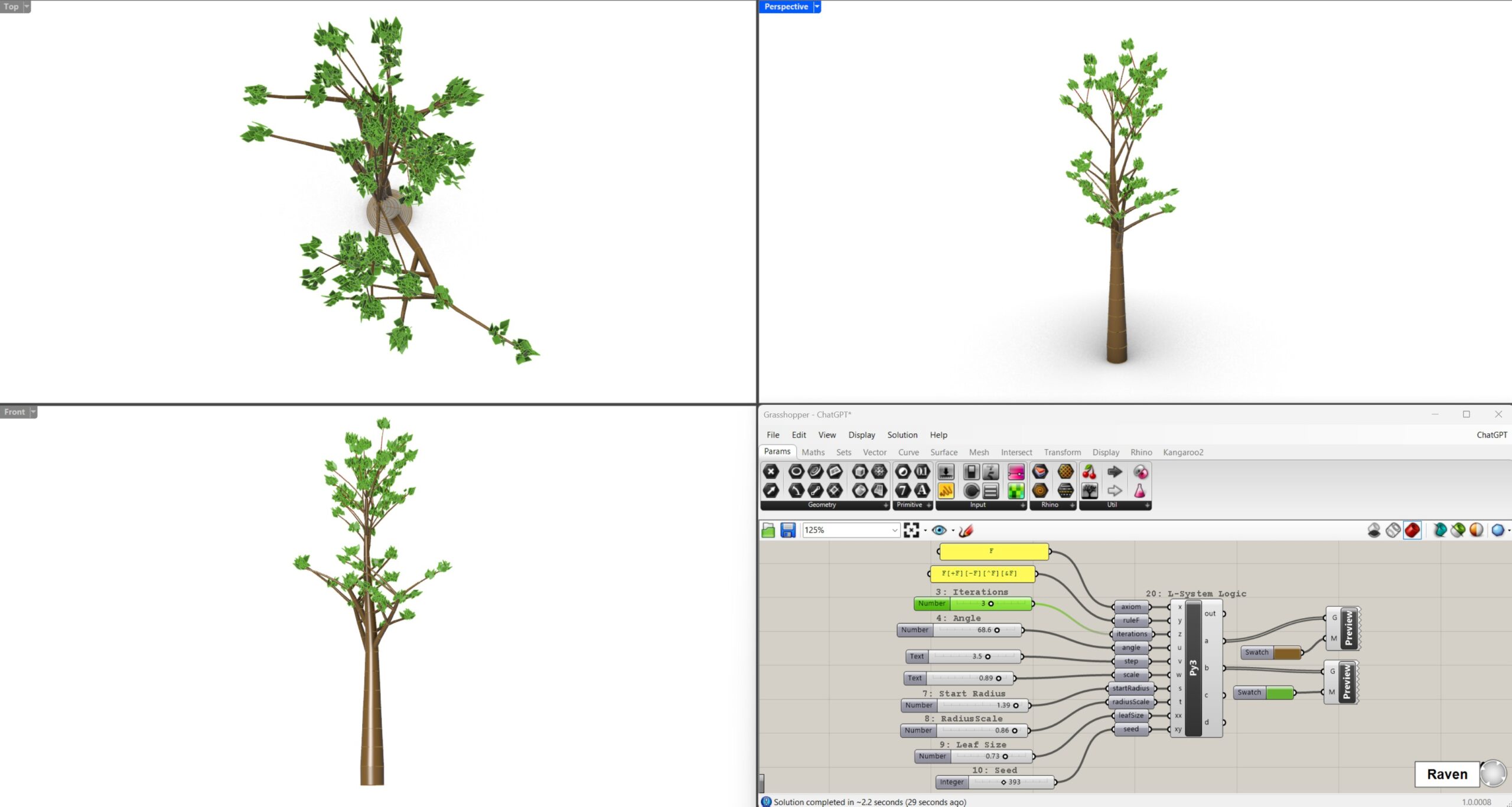
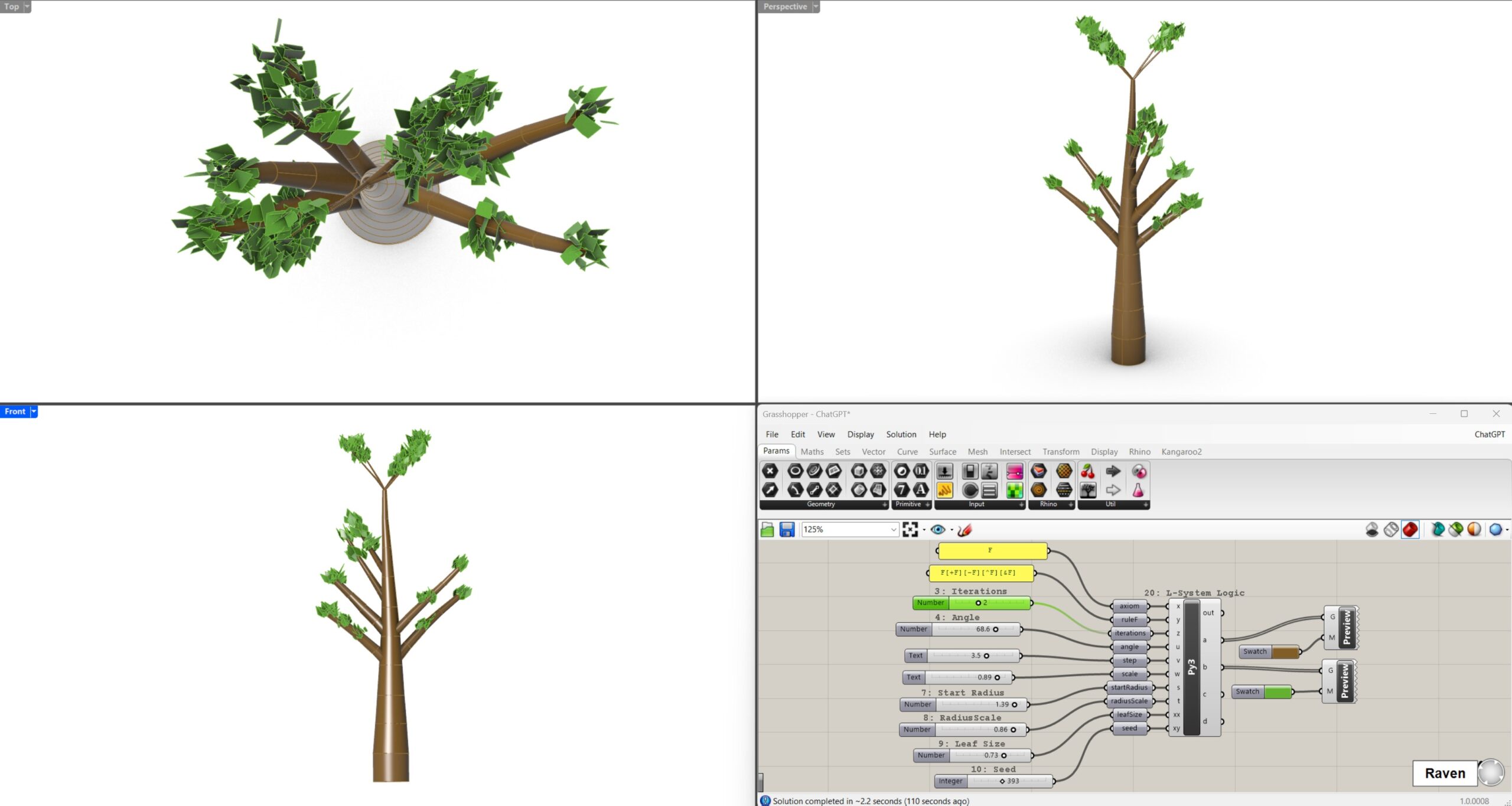
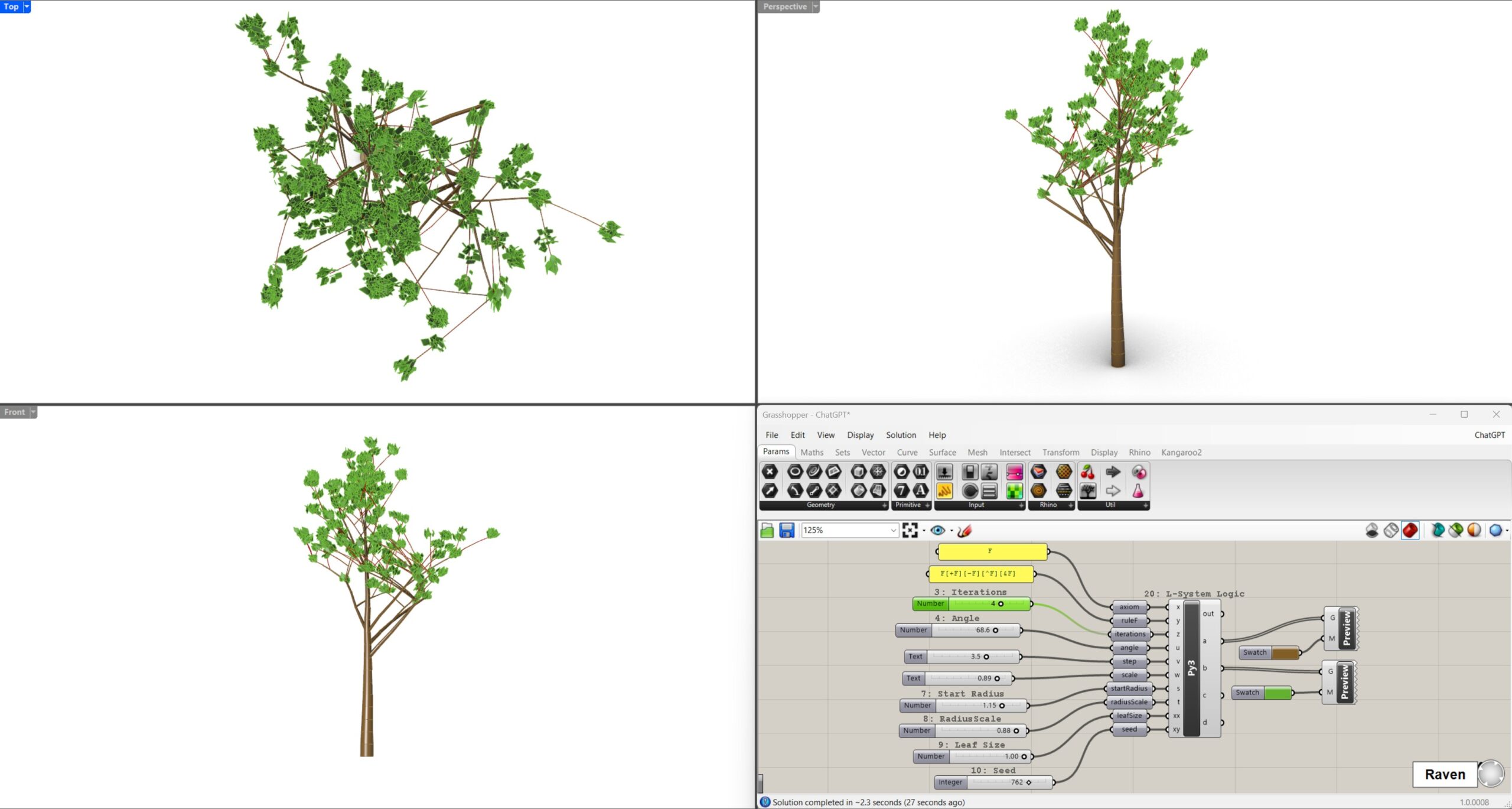
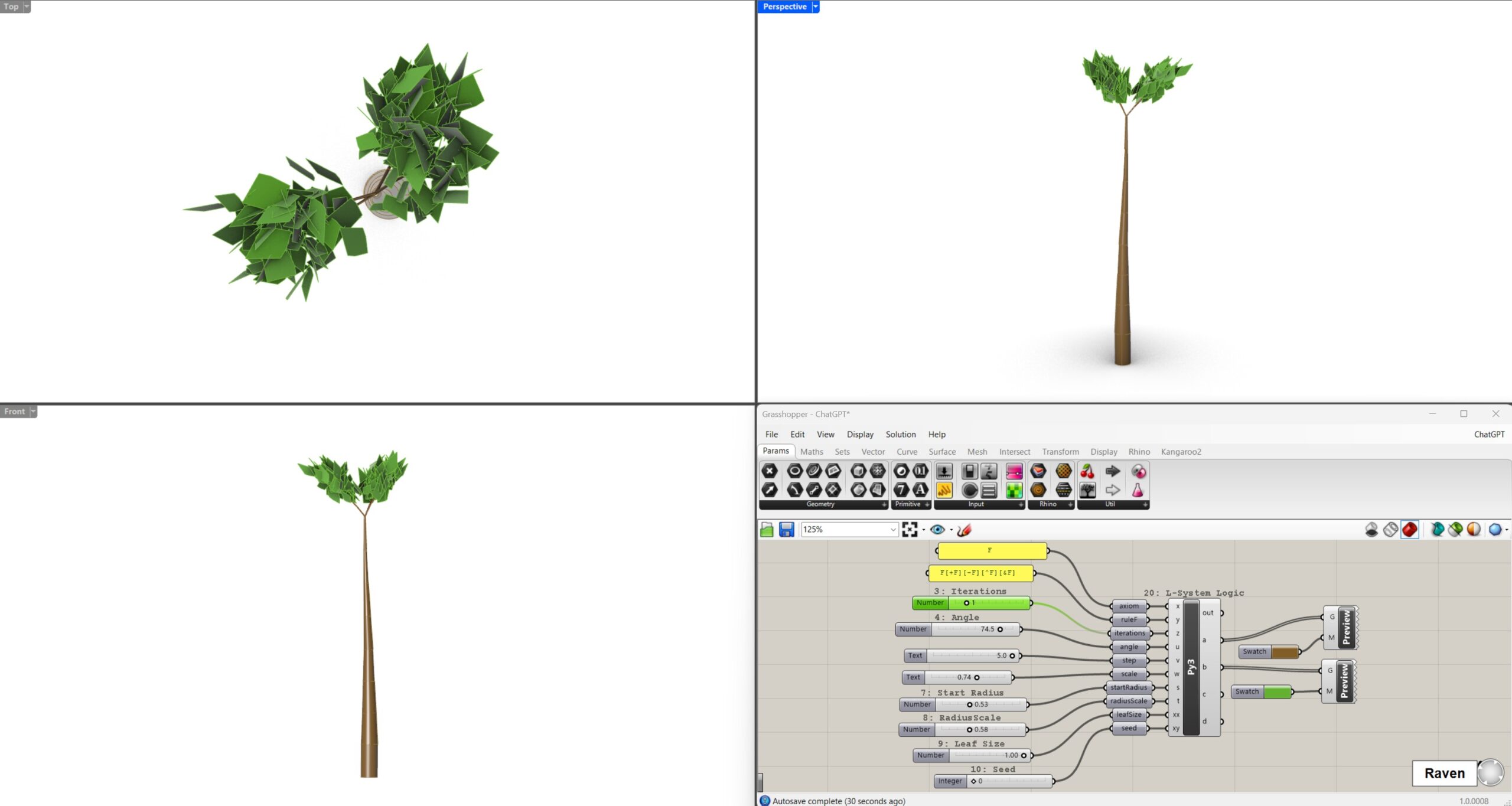
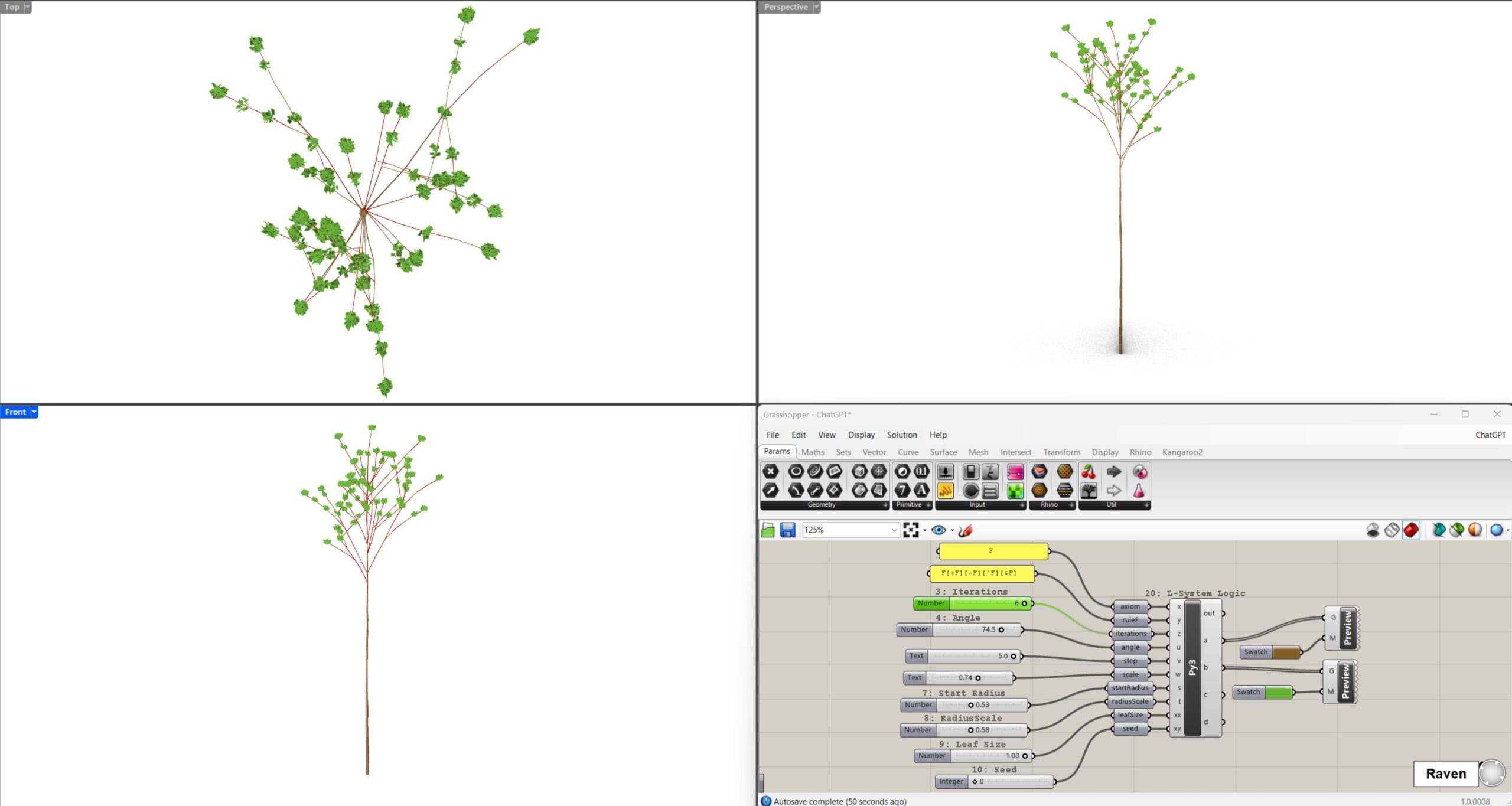
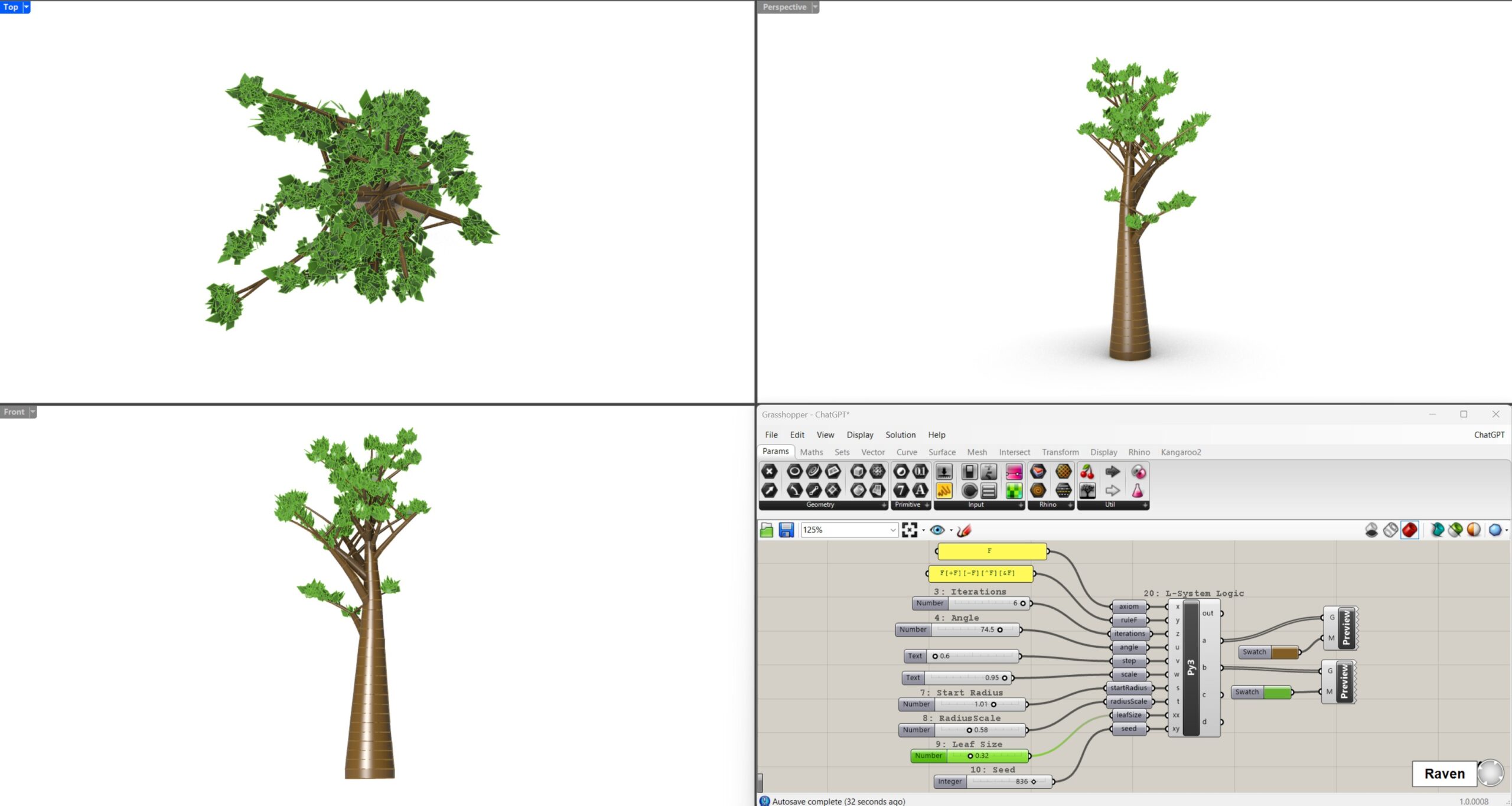
This approach was useful for understanding the logic behind the model. ChatGPT explained the relationship between the L-system, turtle movement, Python code and Grasshopper parameters. It was therefore helpful as a learning tool.
The disadvantage was the amount of manual work. I had to create the Grasshopper definition myself, connect the sliders, copy the code and solve interface problems, such as missing inputs or outputs on the Python component.
The total time for this workflow was 3 hours and 37 minutes.
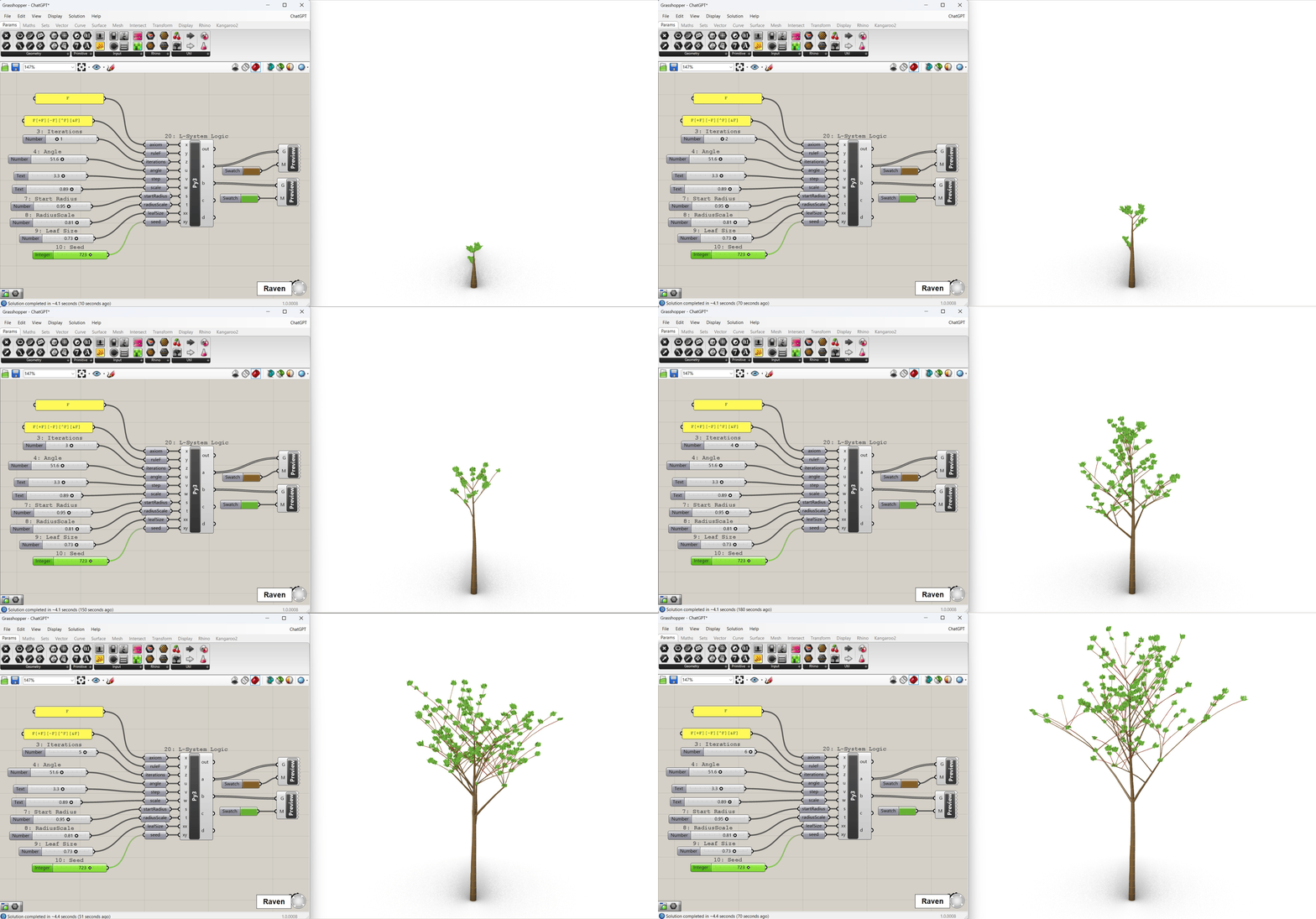
open to view gif
Debugging with ChatGPT
The first result worked, but looked more like a technical fractal diagram than a realistic tree. Step by step, the model was improved by adding branch thickness, a tapered trunk, leaves, denser crown structure and more natural branch distribution.
This process was slower, but it made the development understandable. Every problem had to be described, and every correction was reflected in the code. As a result, I gained a better understanding of how the generator worked.
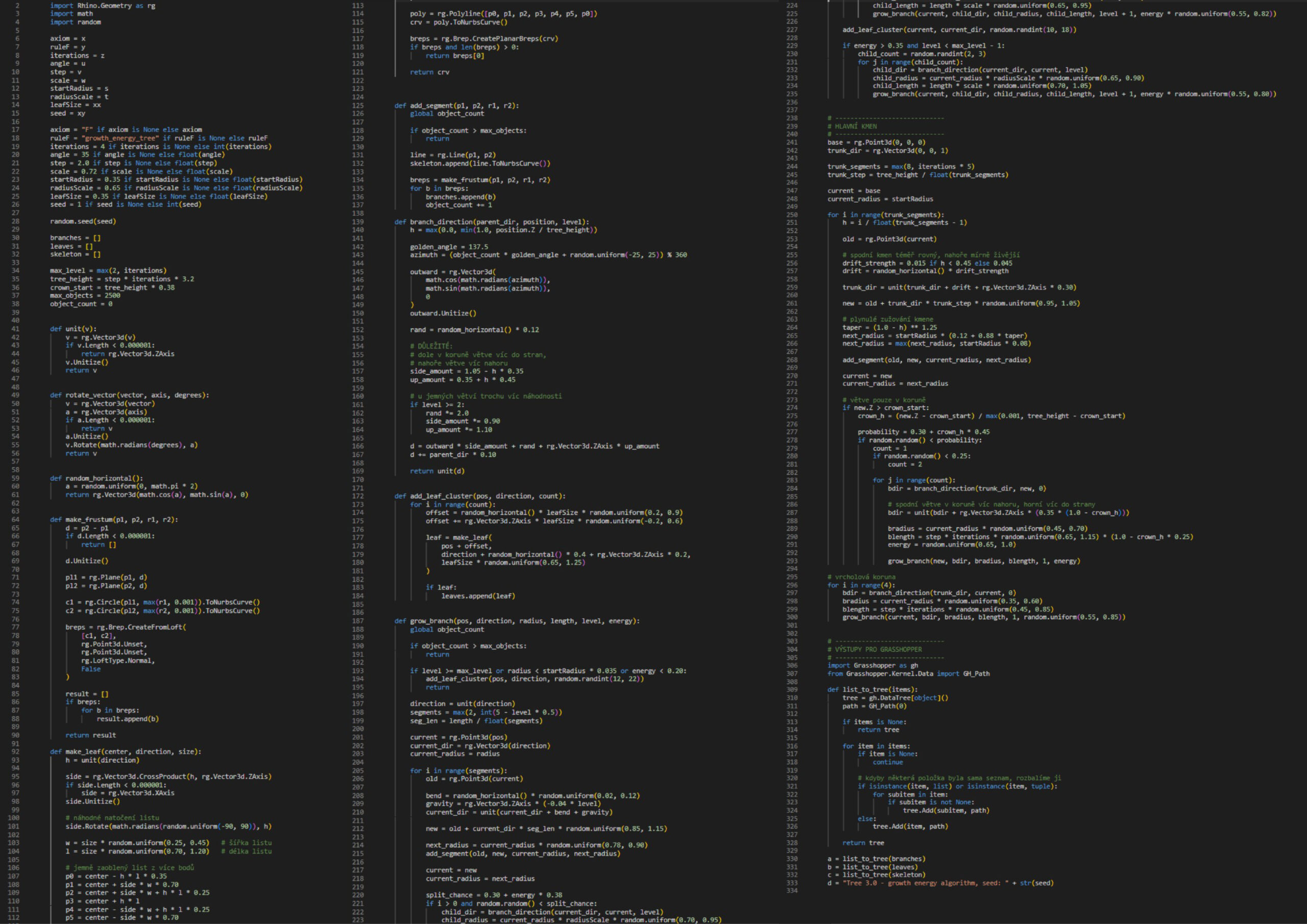
Python script – ChatGPT
Raven Workflow
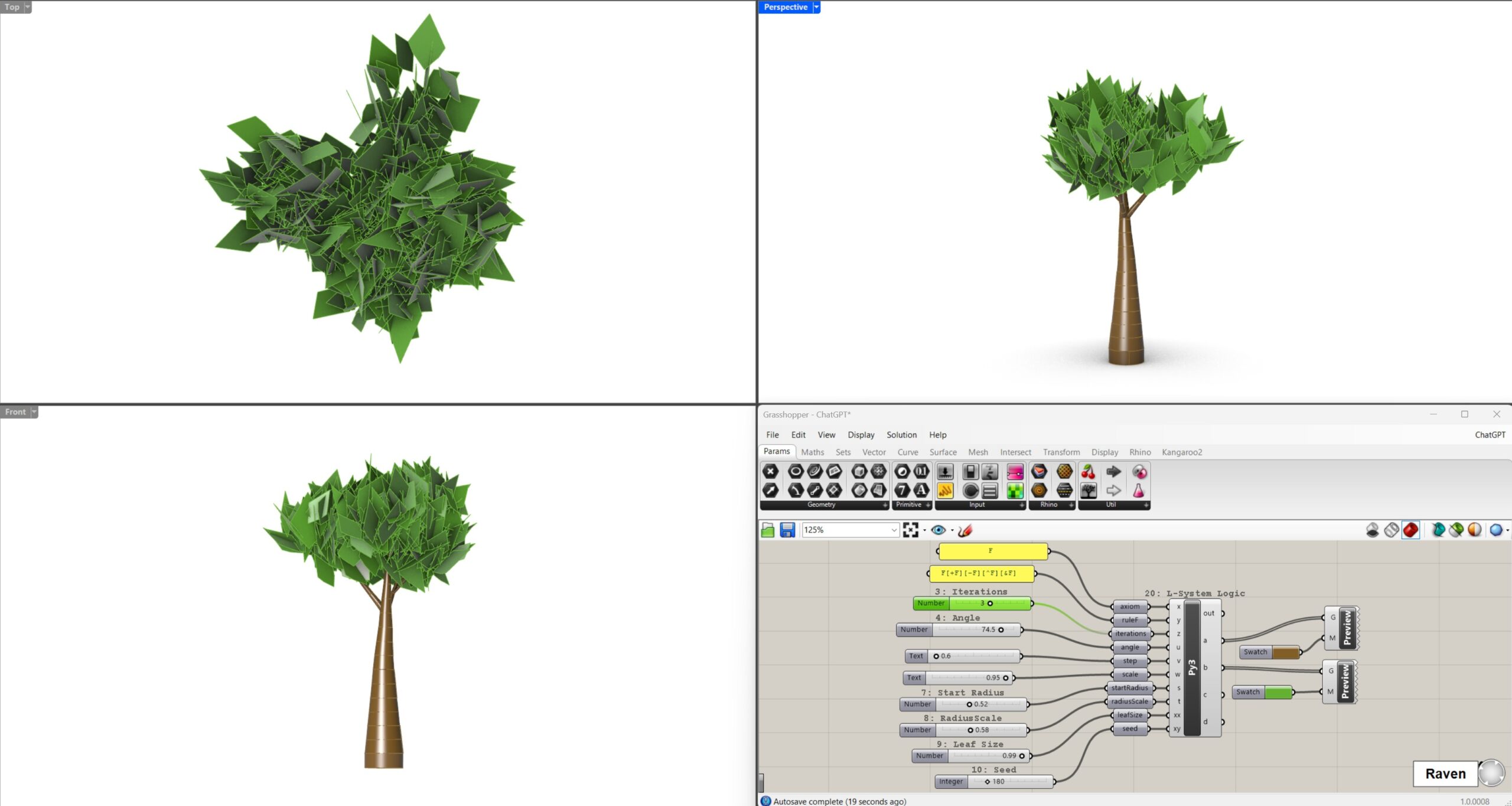
The second workflow used Raven directly inside Rhino / Grasshopper. The initial prompt for Raven was already more precise because it was based on the experience from the ChatGPT workflow. Raven was asked to create a Grasshopper definition with one Python 3 Script component, defined inputs and outputs, a tapered trunk, branches, leaves and slider control.
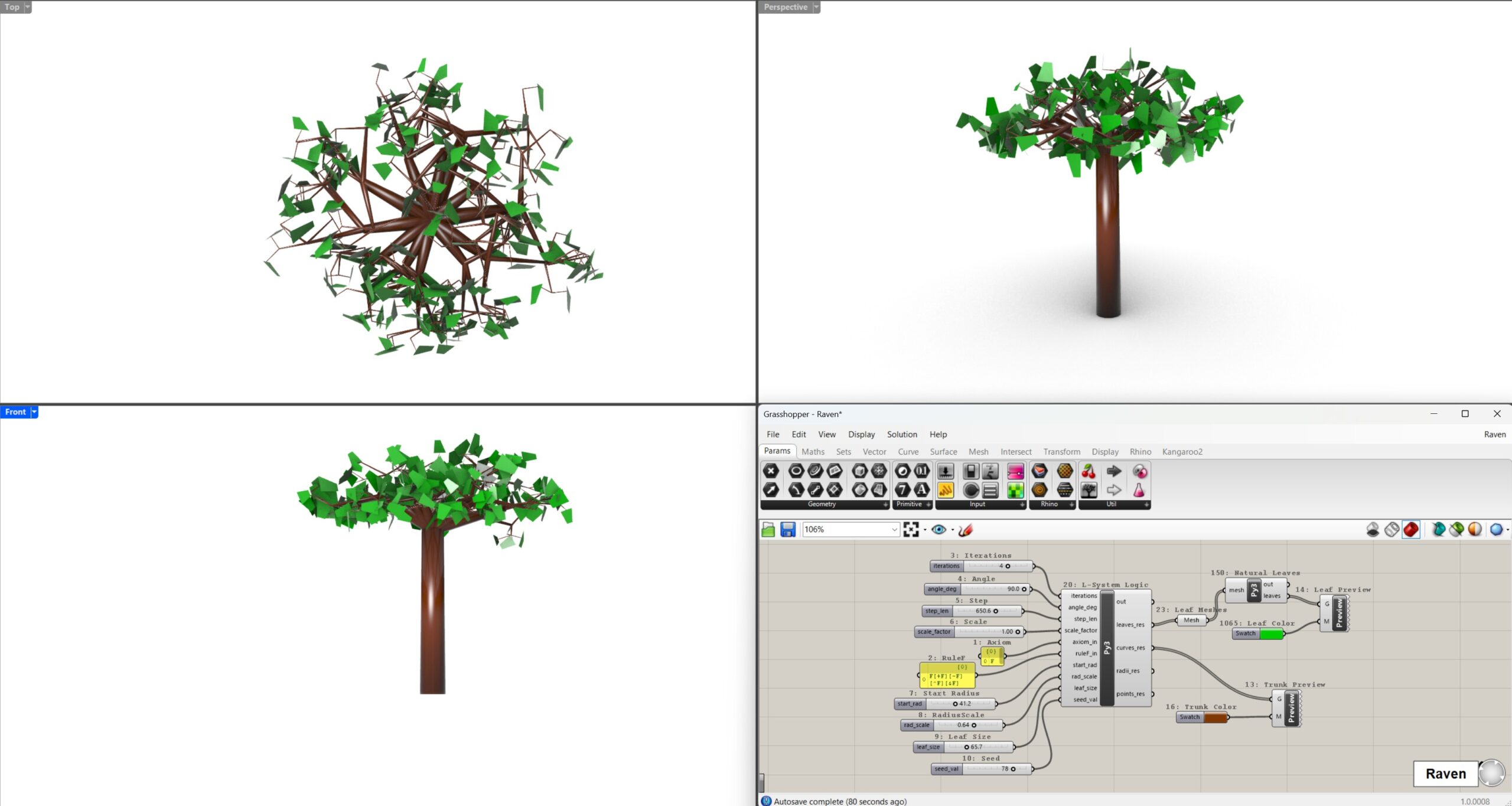
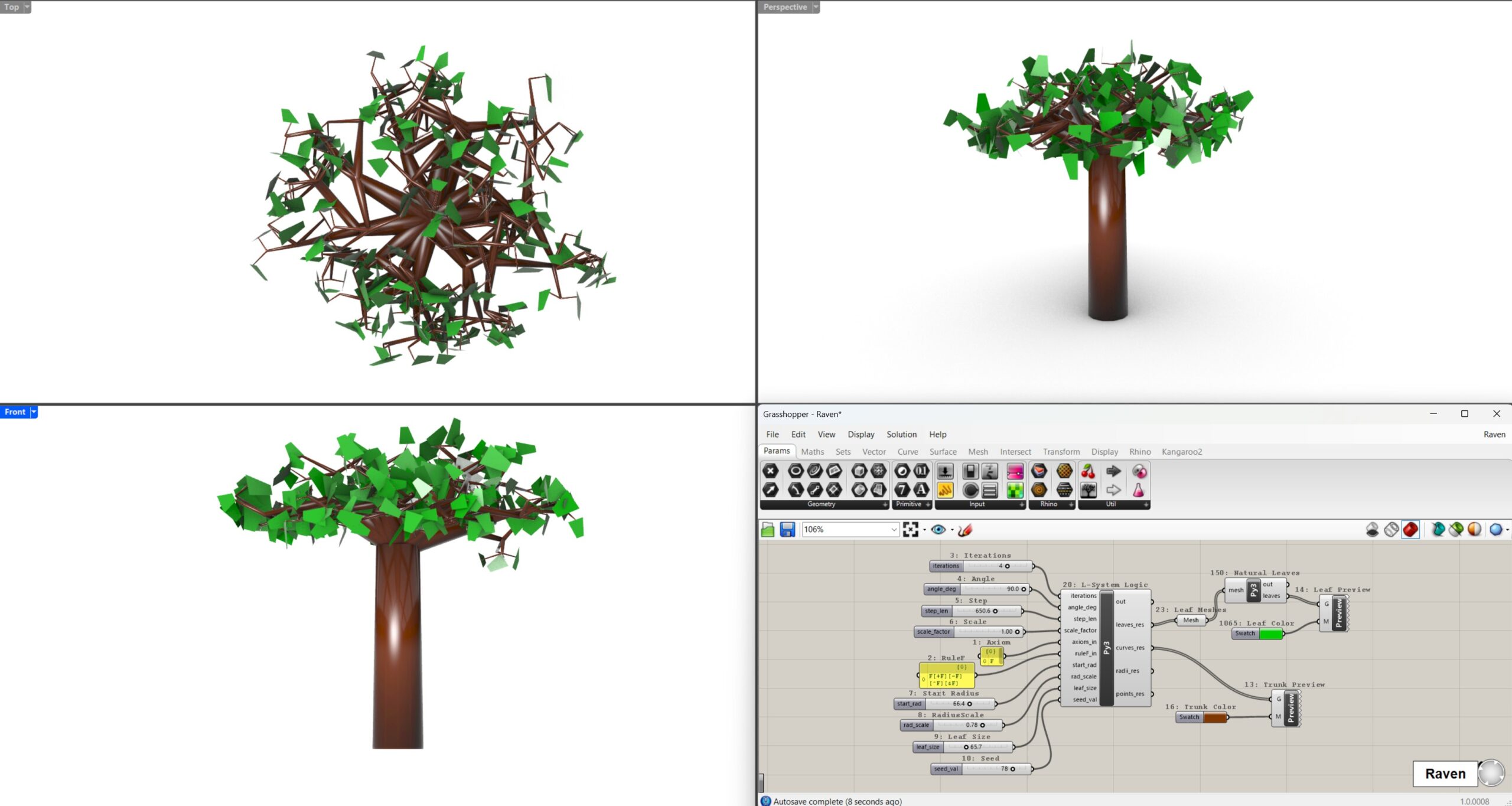
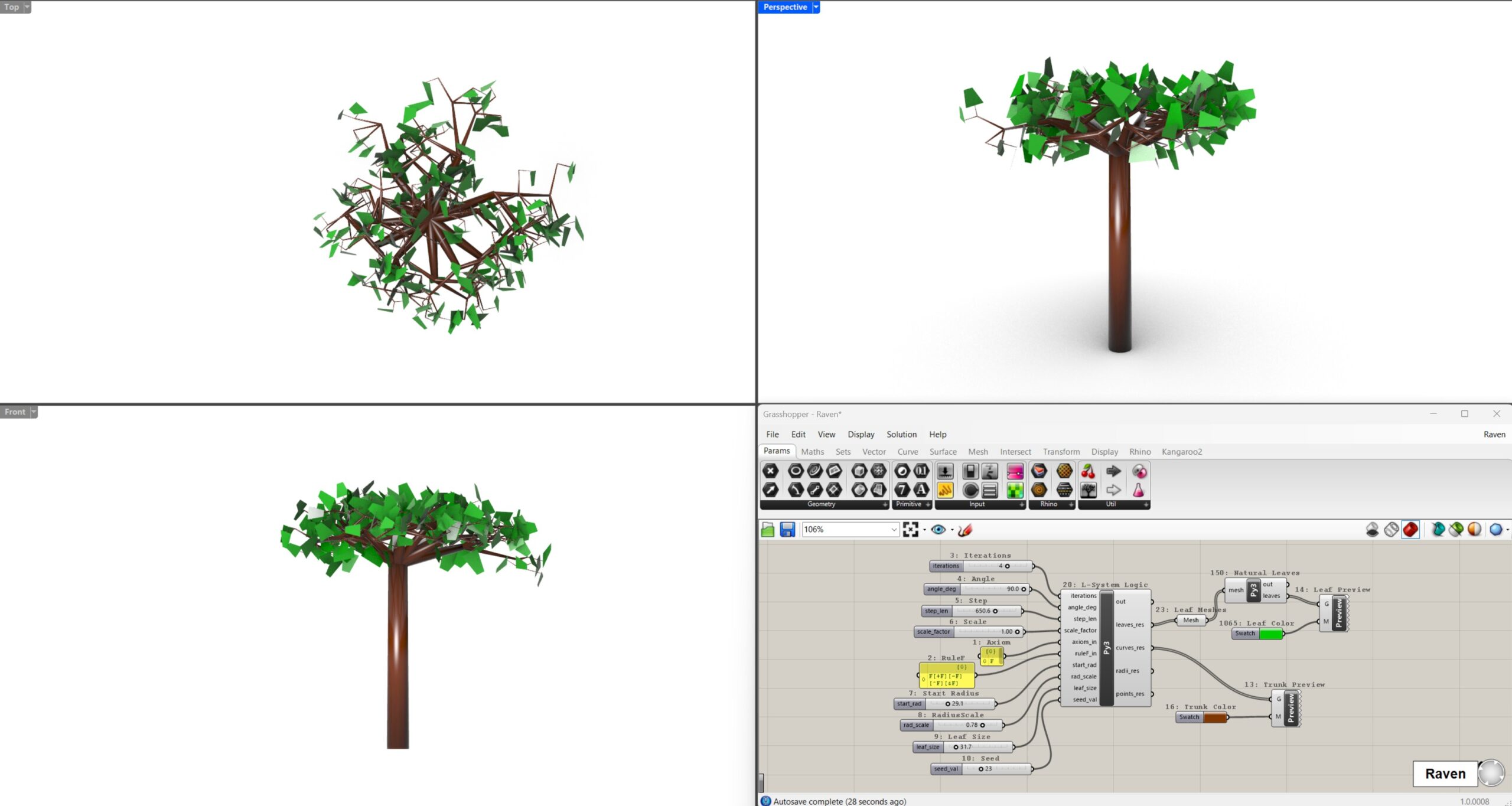
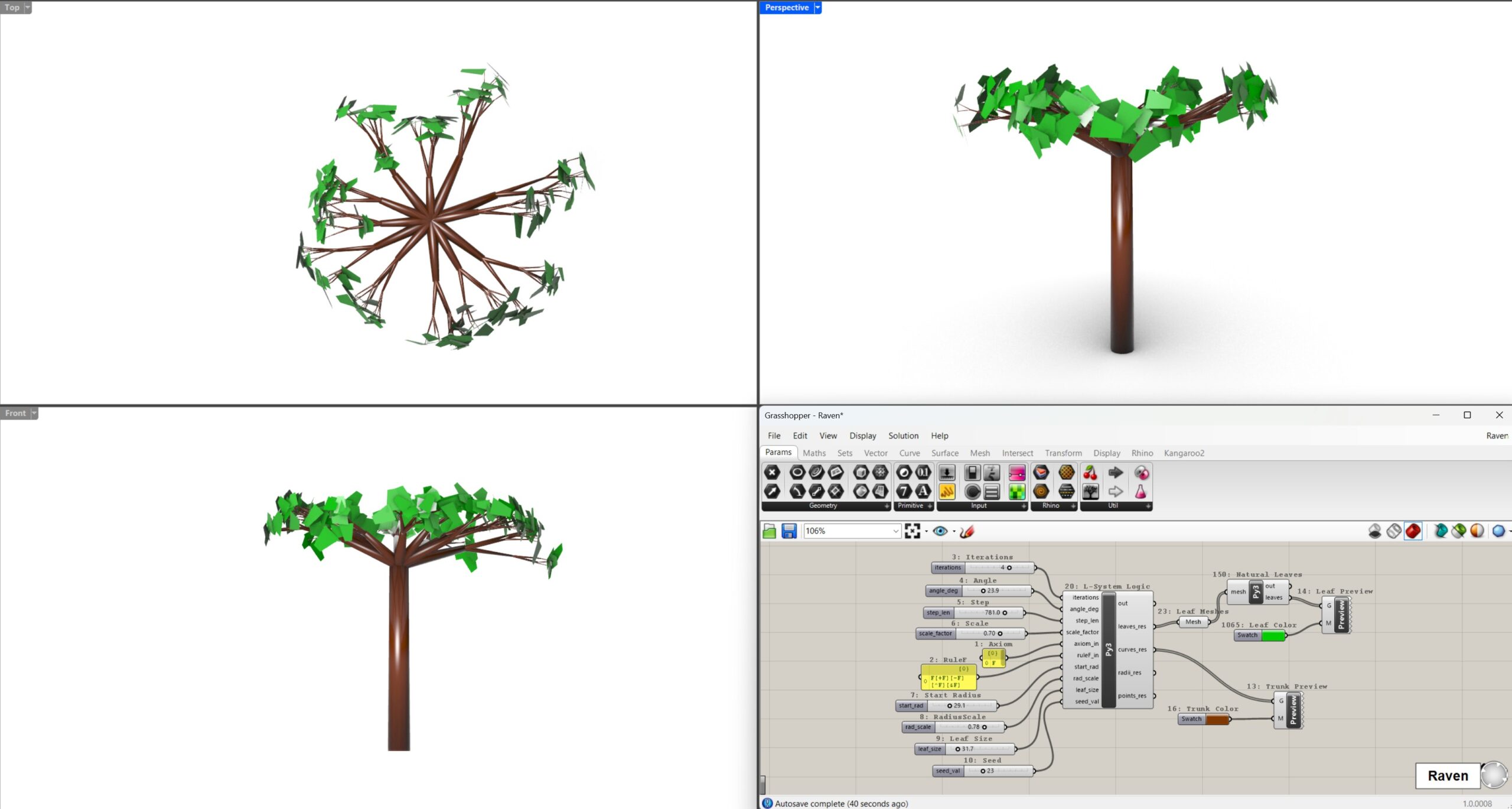
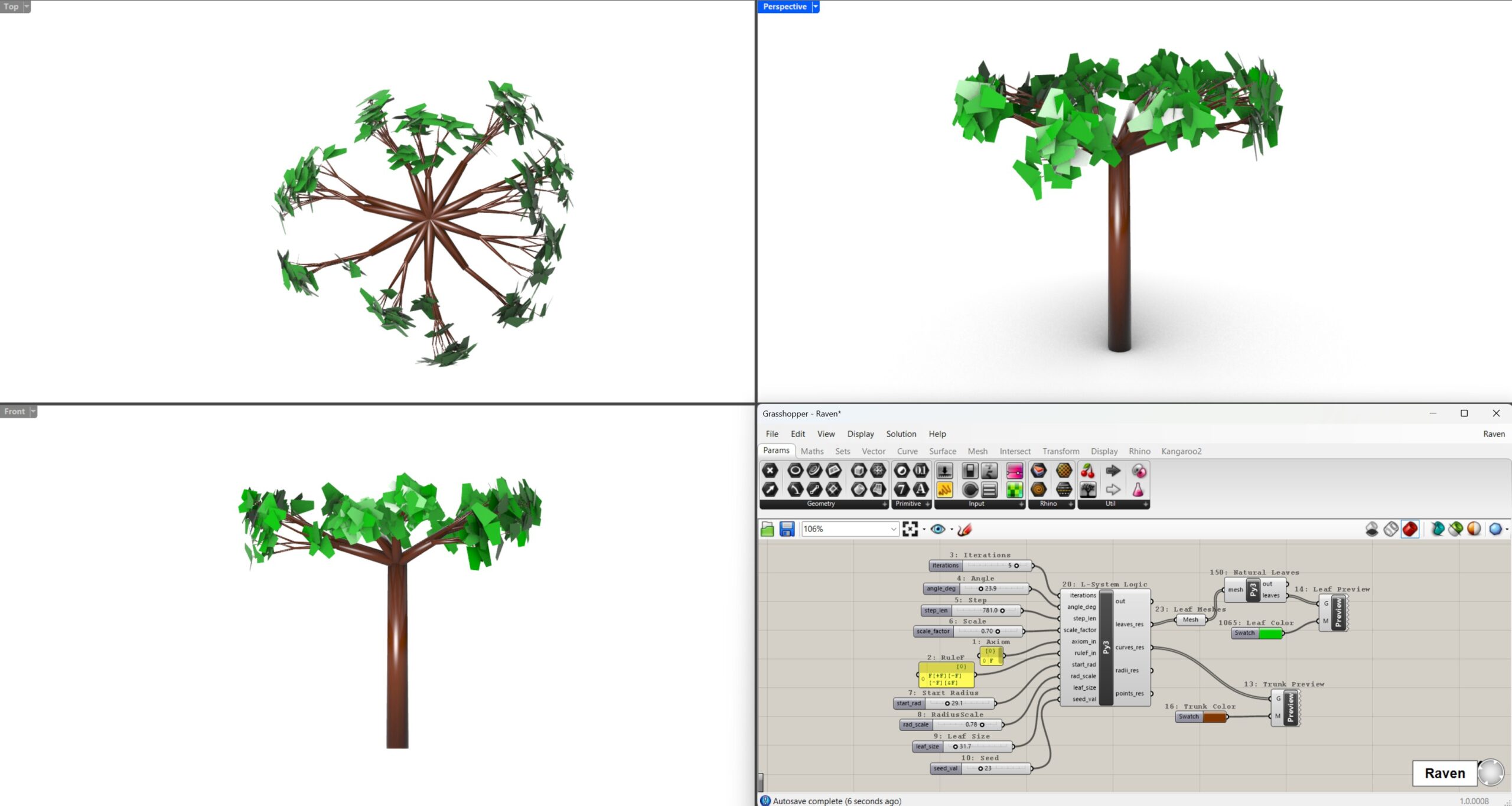
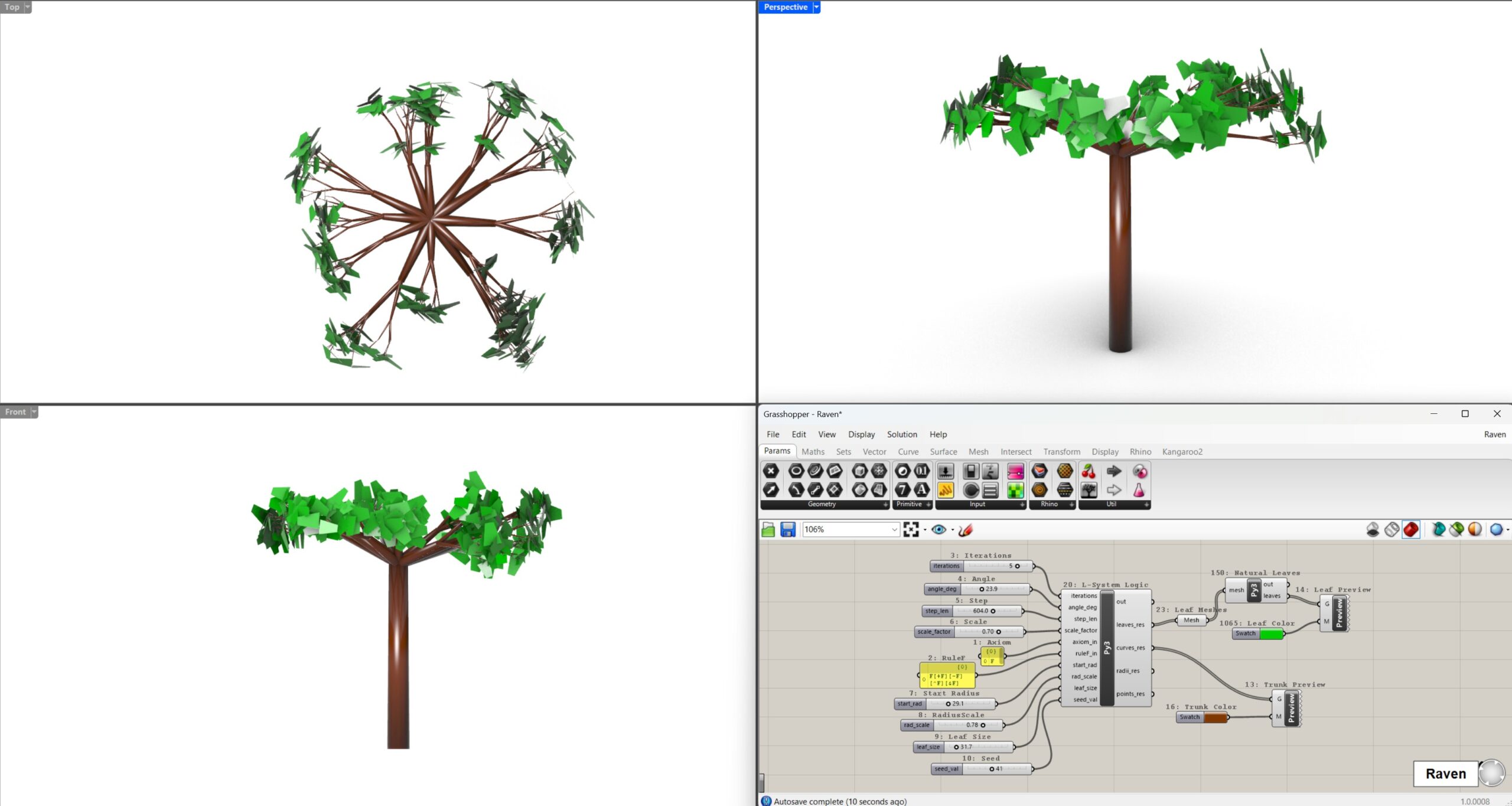
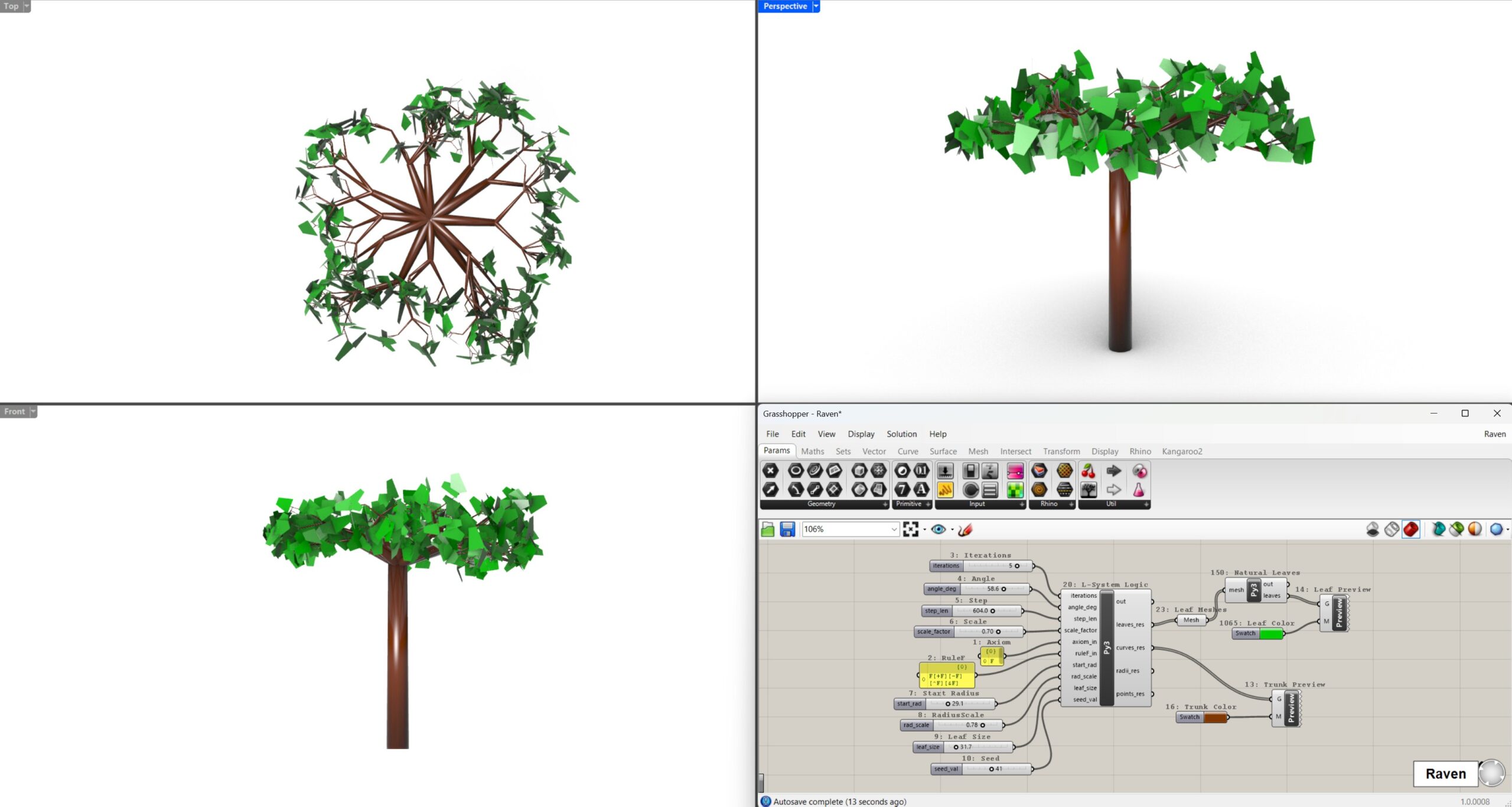
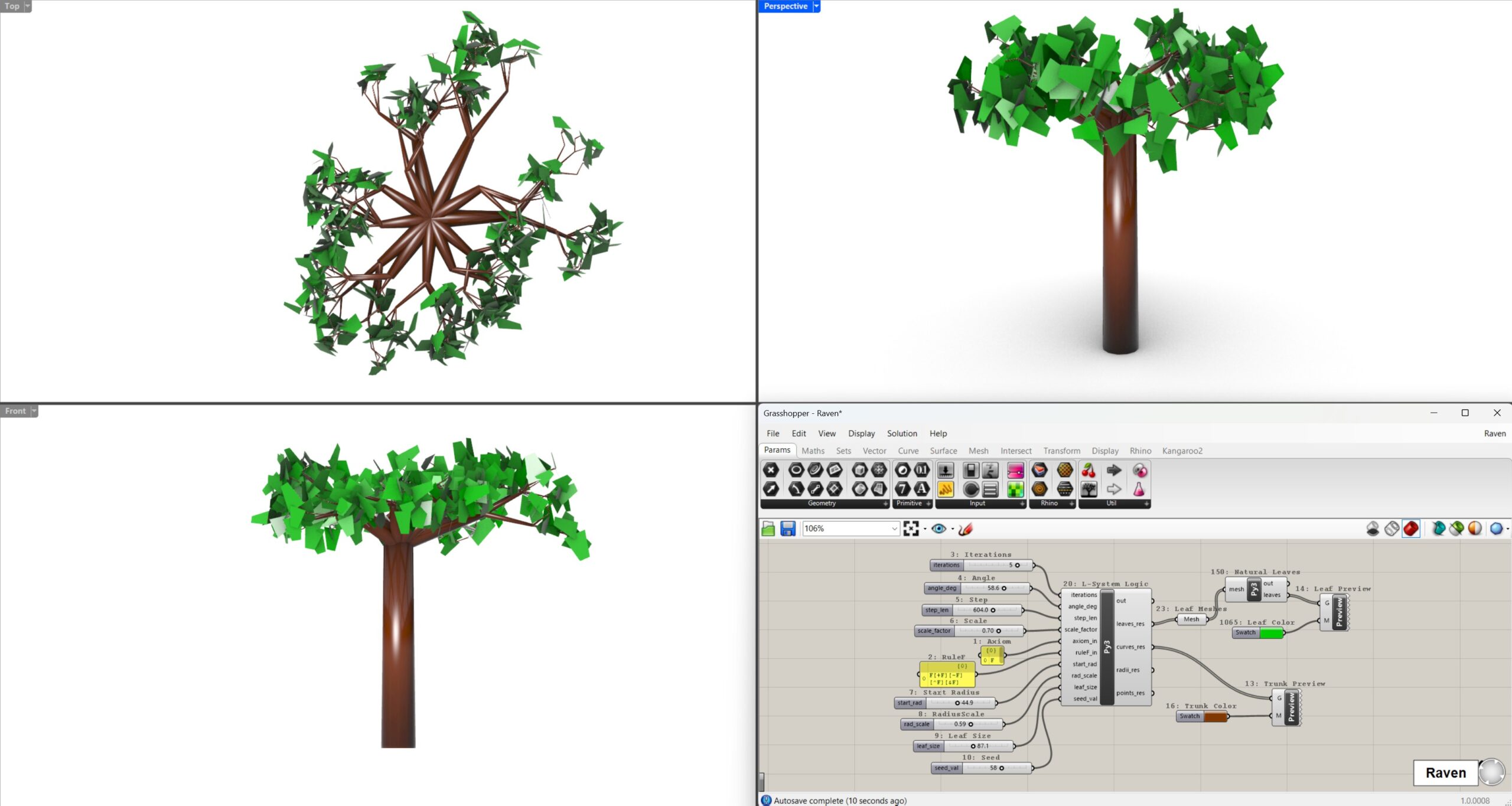
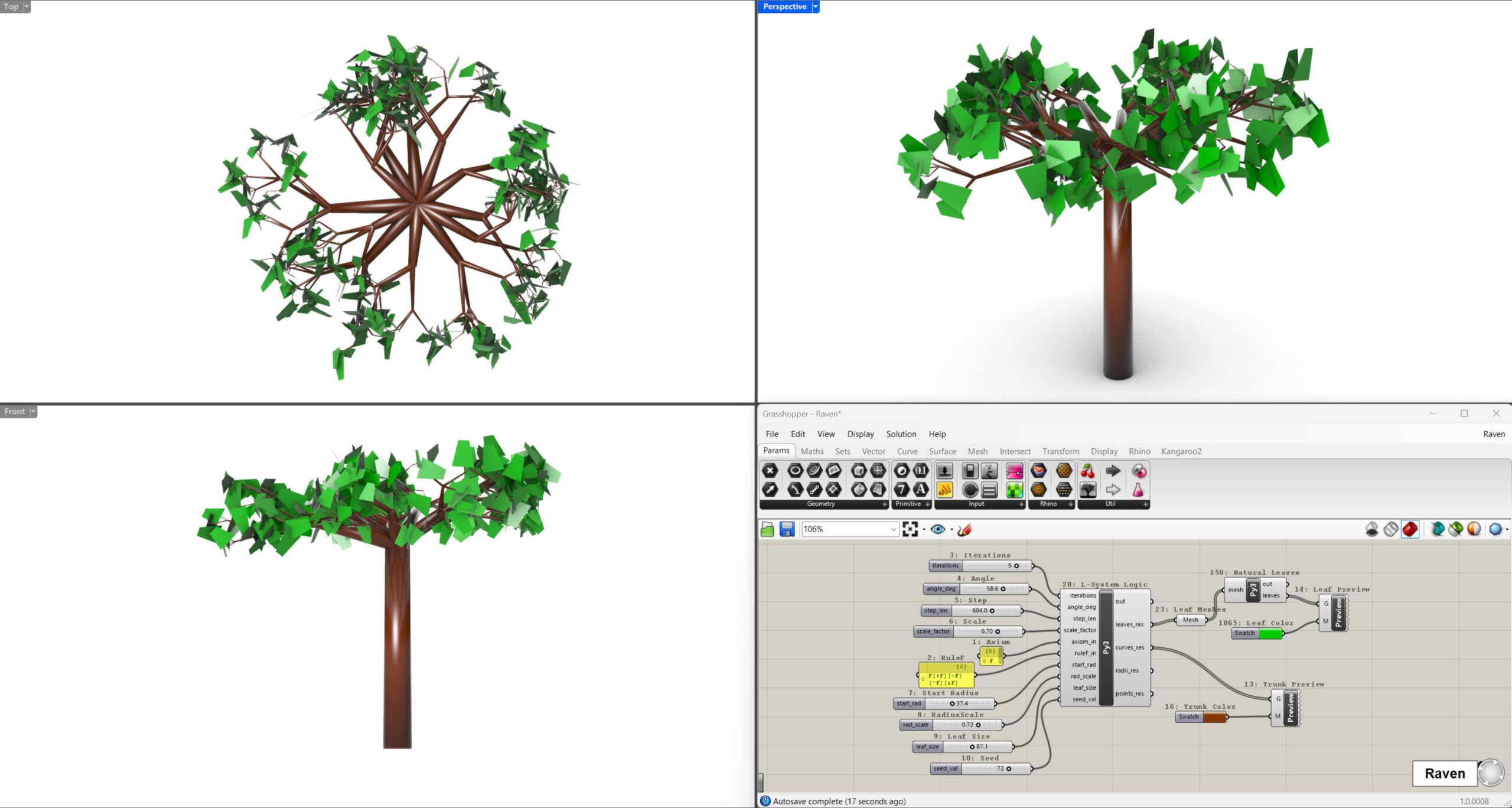
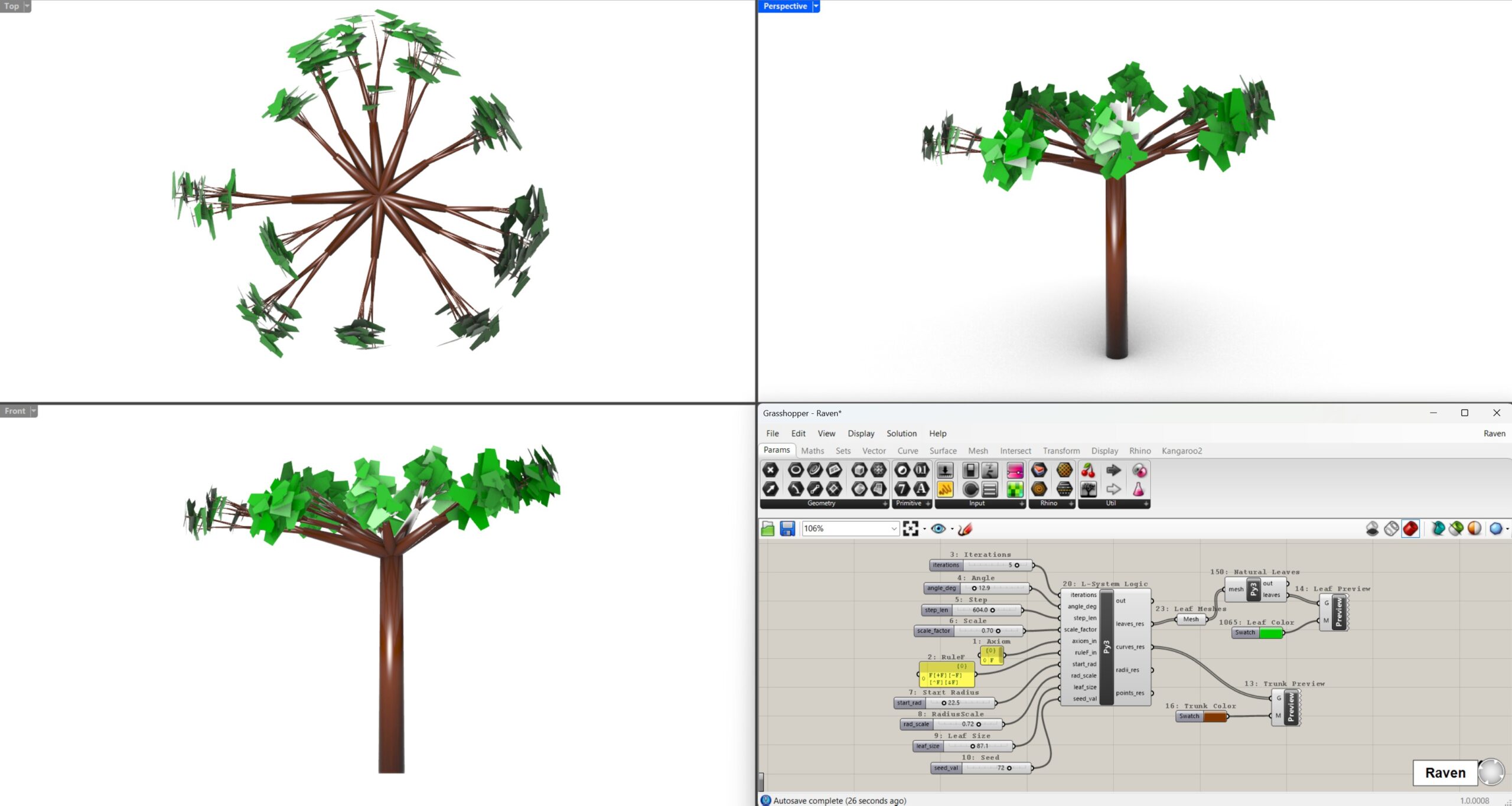
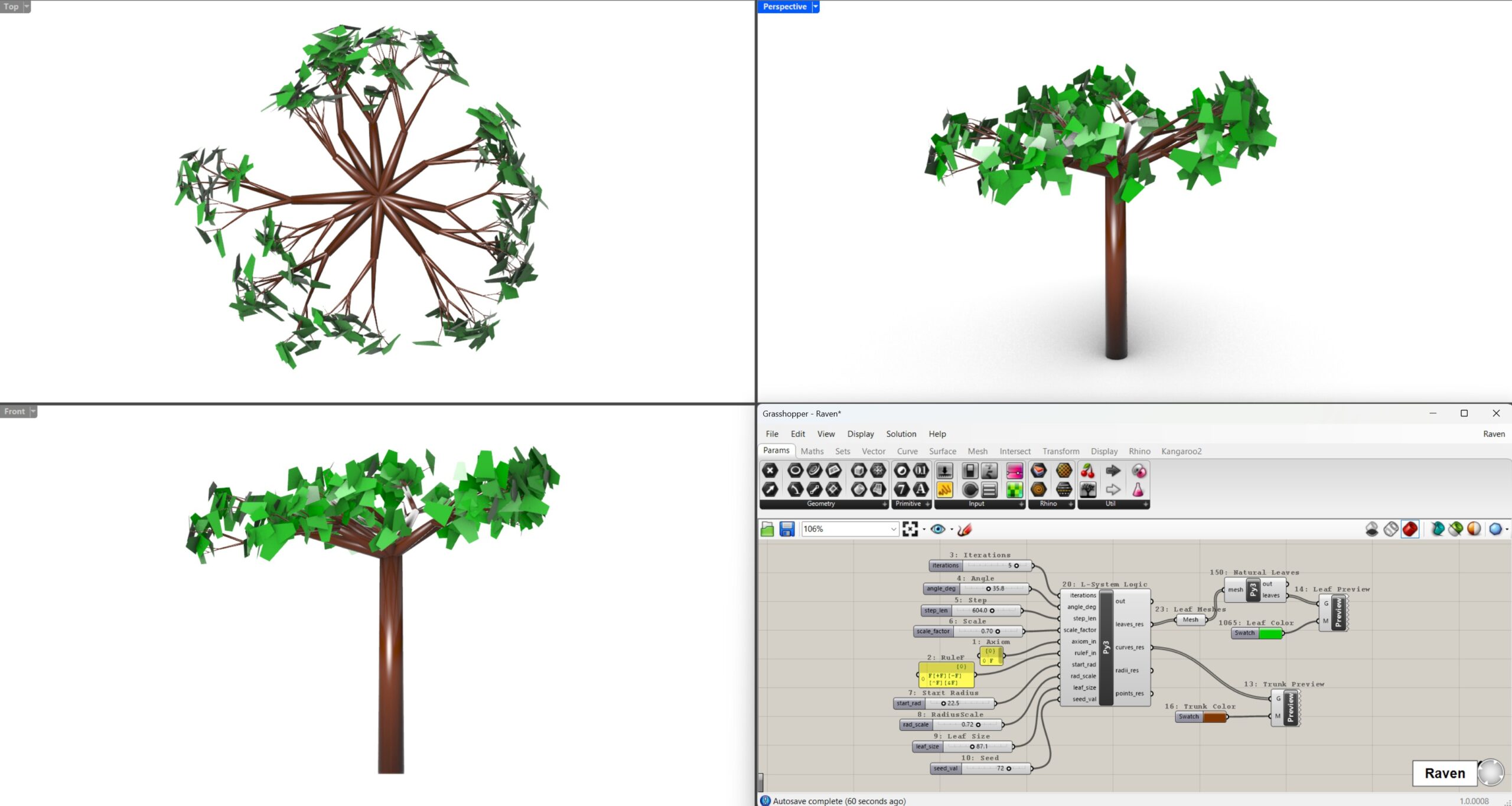
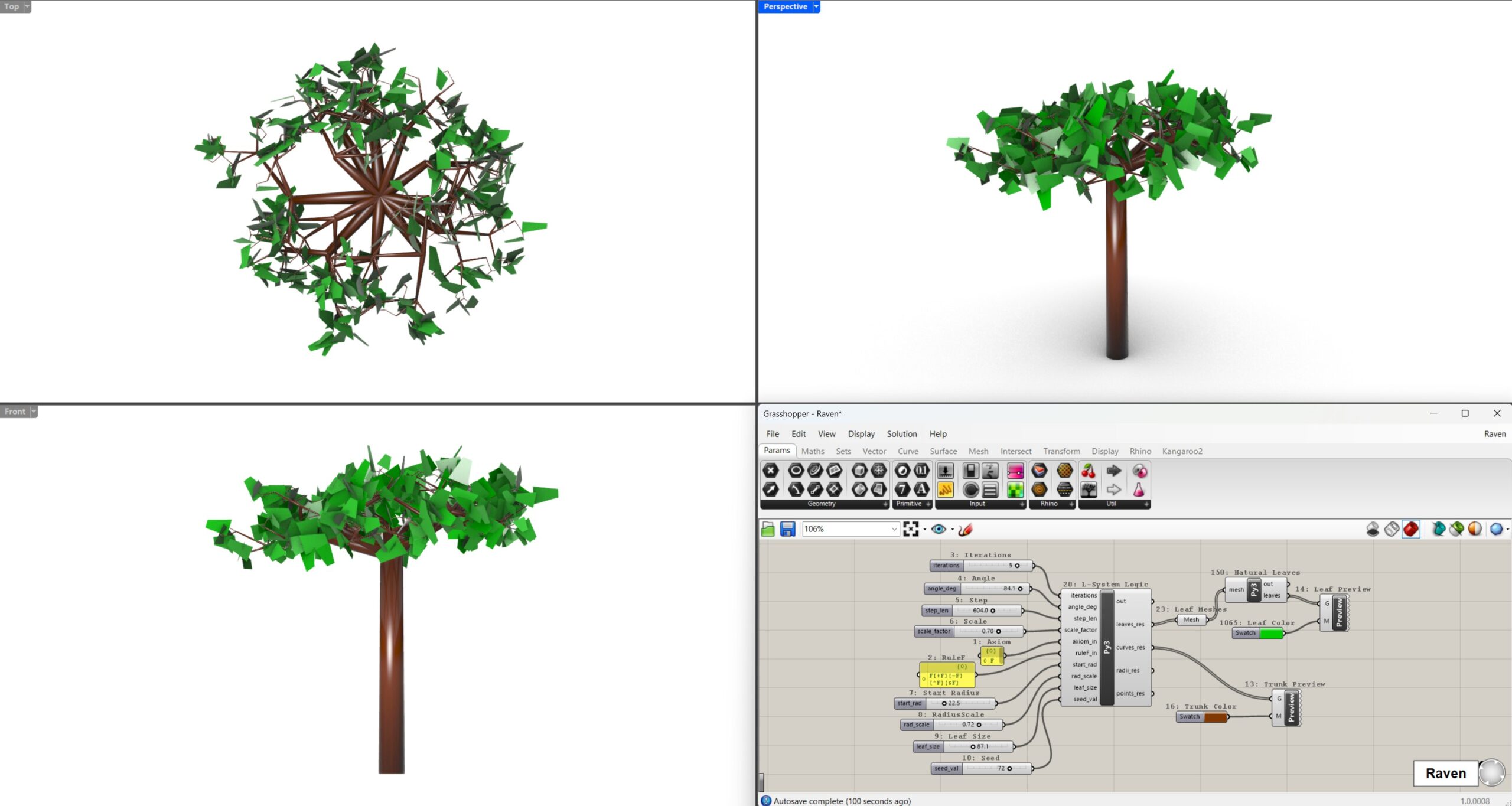
The main advantage was speed. Raven worked directly in the modelling environment, so it could create or modify parts of the Grasshopper definition without requiring me to manually translate a long text guide into components.
This made the workflow more direct and more comfortable for producing a working model.
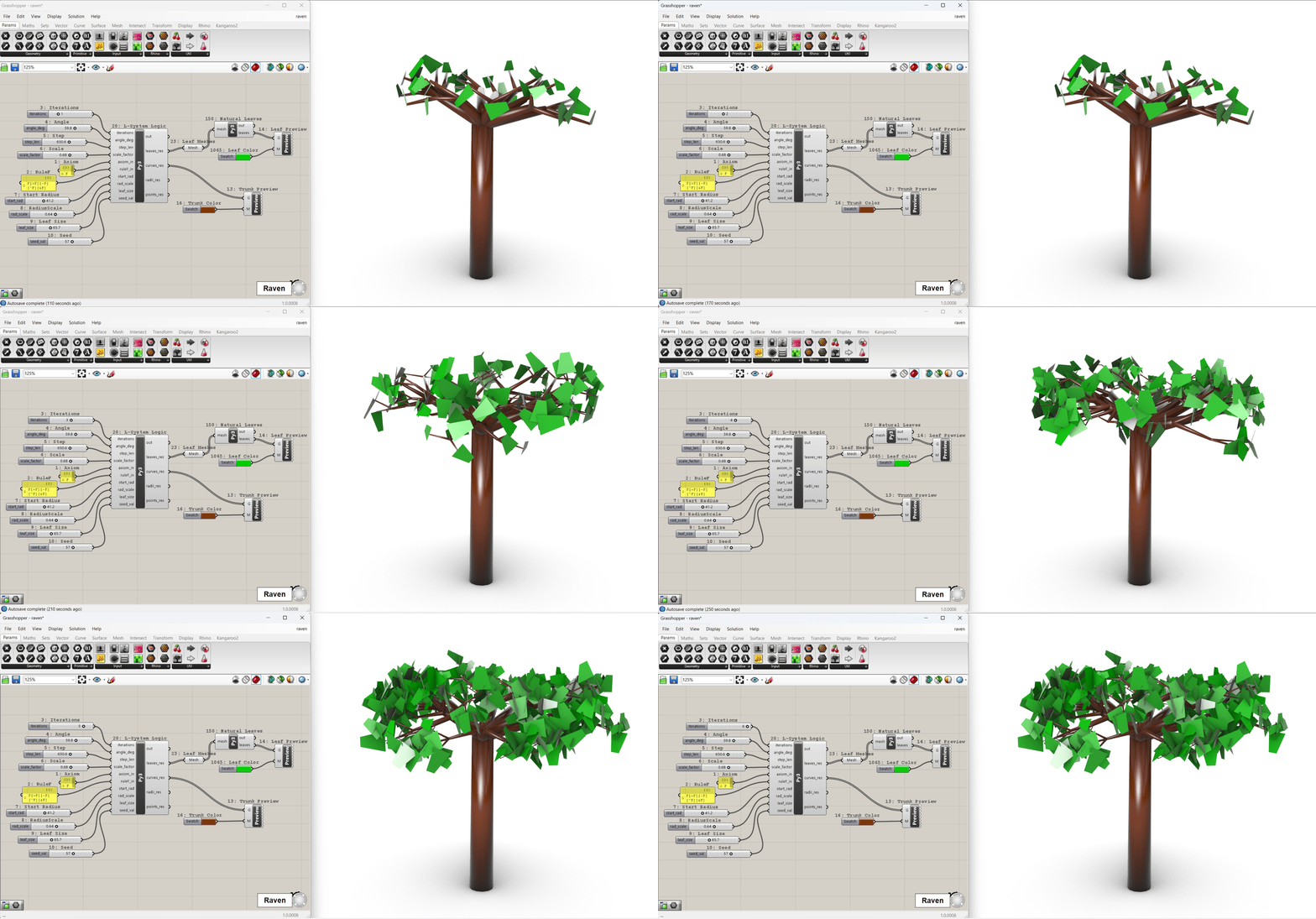
open to view gif
Problems with Raven
Raven was faster, but not flawless. During the process, several issues appeared: branches were sometimes only in one plane, the model disappeared from the viewport, the tree was oriented incorrectly, stems lost thickness or unwanted geometric artifacts appeared.
Raven was able to react quickly and repair these problems, but the process was less transparent than with ChatGPT. I could see that the result changed, but it was not always clear what exactly had been modified in the definition or in the code.
The total time for this workflow was 1 hour and 41 minutes.
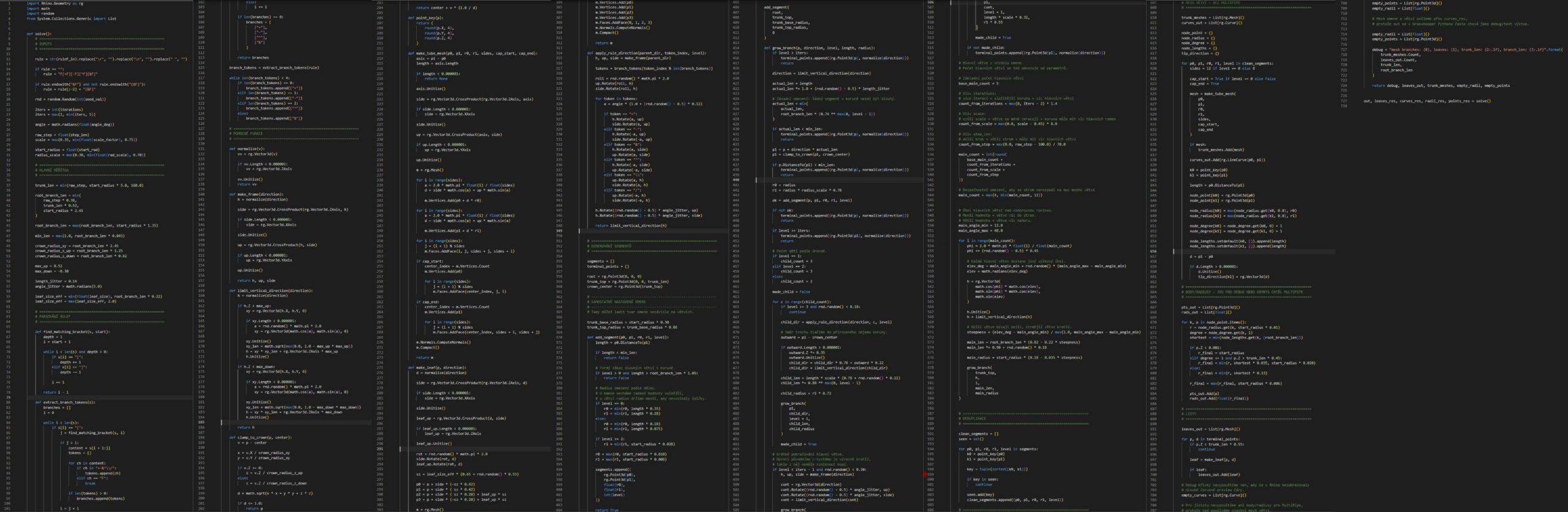
Python script – Raven
Time Comparison
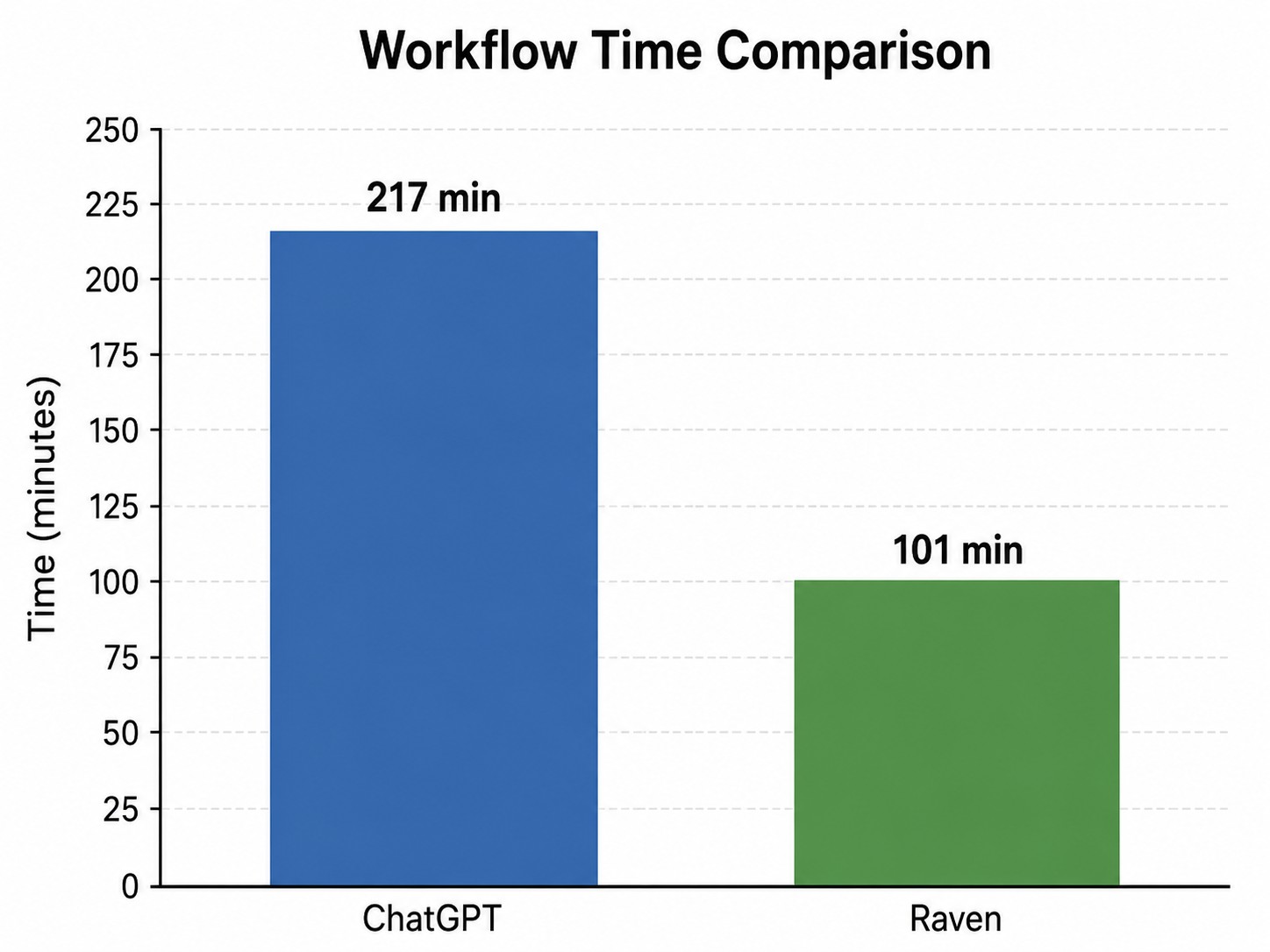
The ChatGPT workflow took 217 minutes.
The Raven workflow took 101 minutes.
Raven was therefore faster by 116 minutes. It took only about 46.5% of the ChatGPT time, which means it was approximately 2.15 times faster.
However, speed was not the only difference. ChatGPT was slower but better for understanding the process. Raven was faster and more practical, but worked more like a black box.
Result and Evaluation
Both workflows produced a functional parametric tree generator with branches, leaves and adjustable parameters. The results were not identical, but both fulfilled the main goal of the project.
ChatGPT was more useful for learning. It explained the algorithm step by step and helped me understand the connection between code and geometry.
Raven was more useful for fast production. Its integration into Rhino / Grasshopper reduced manual work and allowed quicker visual feedback.
The best approach would probably combine both tools: ChatGPT for understanding and preparing the logic, Raven for faster implementation inside Grasshopper.
Conclusion
This experiment showed that AI tools can help beginners enter parametric and scripted design. Even without previous experience in Rhino, Grasshopper or Python, it was possible to create a working procedural tree generator based on L-systems and turtle algorithms.
In this comparison, Raven was clearly faster, reducing the workflow from 3 h 37 min to 1 h 41 min. ChatGPT, however, provided a better explanation of the process and was more useful for understanding the algorithm.
Possible Further Developments
The tree generator could be further improved by adding more biological and visual realism. Future versions could include different tree species, more varied leaf shapes, smoother transitions between the trunk and branches, bark texture and more natural crown density. Another possible direction would be to introduce environmental influences, such as wind direction, gravity or light exposure, so that the generated trees would react more like real vegetation. From an architectural perspective, the tool could also be expanded for use in larger landscape or urban models, where many tree variations could be generated quickly from a small set of parameters.